
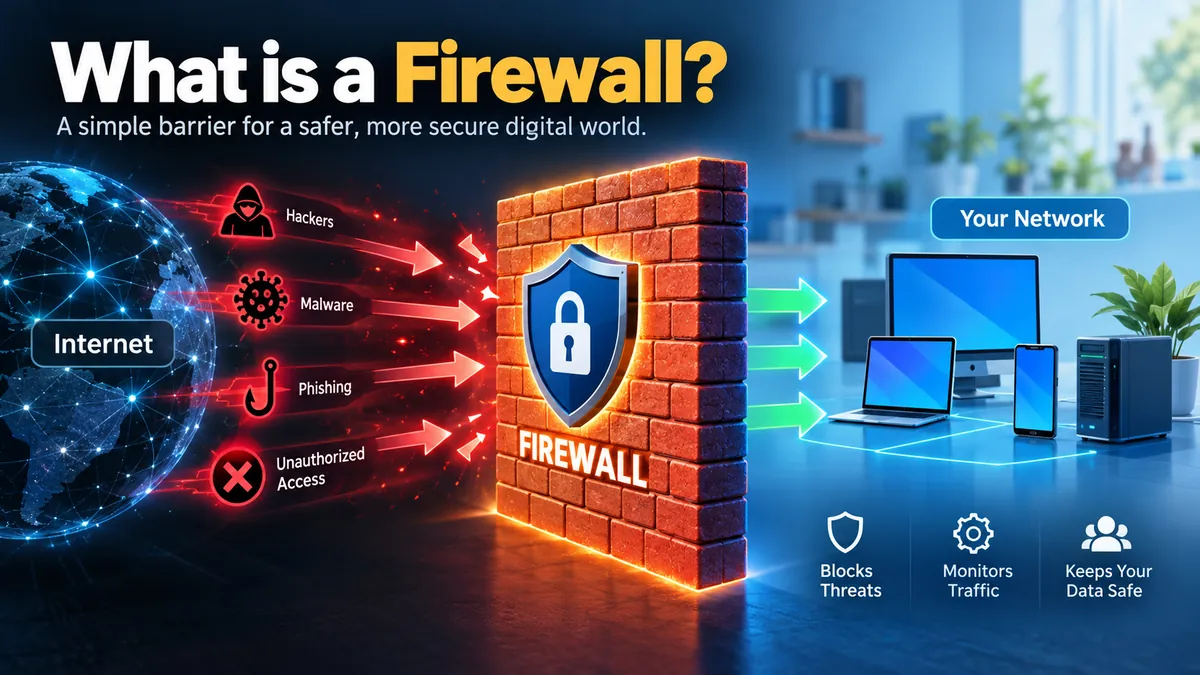

Every time your computer, phone, or server connects to the internet, data moves back and forth across the network. Some of that traffic is legitimate. Some may be unwanted or malicious. A firewall helps decide which traffic gets through.
If you have ever wondered what is a firewall, the simplest way to understand it is as a security checkpoint between networks, devices, or network segments.
A firewall is a network security system that monitors incoming and outgoing network traffic and allows, blocks, or drops traffic according to defined security rules. It can run as hardware, software, a virtual or cloud service, and helps protect devices and networks from unauthorized access and potentially malicious traffic.
Firewalls have been fundamental to network security for decades, but their capabilities have expanded considerably. Modern systems can go beyond checking IP addresses and ports to inspect applications, connection states, protocols, URLs, and sometimes packet contents.
What Is a Firewall in Simple Terms?
Think of a firewall as a security guard controlling the entrance to a building.
The guard has instructions about who may enter, which doors they may use, and what activities are prohibited. When someone arrives, the guard compares that person against the rules before deciding what to do.
A network firewall performs a similar job with network traffic.
When data attempts to enter or leave a protected environment, the firewall evaluates it against a firewall policy or ruleset. Depending on its configuration and capabilities, it may examine information such as:
- Source IP address
- Destination IP address
- Source and destination ports
- Network protocol
- Connection state
- Application or service
- Packet contents
- Domain or URL
- User or device identity
Traffic that meets permitted conditions can continue. Traffic that violates the policy may be blocked or dropped.
The National Institute of Standards and Technology defines firewalls broadly as devices or programs controlling network traffic between networks or hosts with different security postures.
That definition matters because a firewall is not necessarily a physical box sitting next to a router. It can also be software installed on a laptop, a virtual appliance protecting cloud infrastructure, or a security service delivered from the cloud.
What Does a Firewall Do?
A firewall’s central job is traffic control.
It establishes an enforcement point where security policies can determine which communications are permitted between devices, networks, or network segments.
Blocks unauthorized network access
A firewall can prevent unsolicited connections from reaching computers and services behind it.
For example, a company might have an internal database server that employees need to access but that should never be directly accessible from the public internet.
Firewall rules can permit connections from approved internal networks while denying connections arriving from external addresses.
Filters incoming and outgoing traffic
Firewall protection is not limited to inbound connections.
Outbound filtering can also be valuable because compromised software may attempt to communicate with an external system or send information outside the network.
A firewall can apply rules in both directions.
Controls ports and protocols
Computers use ports to provide different network services.
A firewall can control which ports are accessible. For example, an organization might permit legitimate HTTPS web traffic while denying unnecessary services exposed to the internet.
Microsoft explains this concept simply: firewalls control what is and is not allowed to pass through network ports.
Helps segment networks
Firewalls can also control traffic inside an organization.
Instead of treating the entire internal network as equally trusted, administrators can create separate network segments and restrict communications between them.
For example:
Employee devices → Firewall → Internal servers
Guest Wi-Fi → Firewall → Internet
Public web server → Firewall → Backend database
This limits unnecessary connectivity and can reduce opportunities for an attacker to move between systems after compromising one device.
CISA guidance recommends strong network segmentation using measures including firewall capabilities, router access-control lists, VLANs, stateful packet inspection, and demilitarized zones as part of defense in depth.
Creates security logs
Business firewalls commonly record events such as:
- Allowed connections
- Blocked connections
- Source and destination addresses
- Ports and protocols
- Security-rule matches
- Detected threats
Those records can help security teams investigate suspicious behavior and troubleshoot legitimate connectivity problems.
How Does a Firewall Work?
To understand what is a firewall and how does it work, you first need to understand how information travels across networks.
Network communications are divided into units of data called packets.
These packets contain information needed to move data between systems, including addresses and protocol-related details.
A firewall intercepts relevant traffic and evaluates it before allowing it to continue.
A simplified process looks like this:
- Network traffic reaches the firewall.
- The firewall collects information about the packet or connection.
- It compares that information with configured security rules.
- More advanced systems may inspect connection state, applications, protocols, or content.
- The firewall determines whether the traffic should be permitted.
- Allowed traffic continues toward its destination.
- Disallowed traffic is blocked or dropped.
- The event may be recorded in a security log.
The exact process depends heavily on the firewall technology being used.
Firewall rules explained
A firewall is only as useful as the policy it enforces.
Rules generally specify conditions and an action.
For example:
| Traffic | Possible Rule | Result |
|---|---|---|
| Approved HTTPS connection | Allow TCP port 443 | Allowed |
| Unwanted inbound connection | Deny matching traffic | Blocked |
| Trusted internal service | Allow approved source | Allowed |
| Suspicious connection | Match security policy | Blocked/logged |
| Unapproved service | Deny port/protocol | Blocked |
Rules can become much more granular in enterprise environments.
Administrators may create policies around particular users, devices, applications, network zones, destinations, or threat categories.
What Are the Main Types of Firewalls?
There is no single universal firewall design.
Firewalls can be classified according to what they protect, where they are deployed, their form factor, and how they inspect network traffic. Modern products may combine several firewall technologies in one platform.
Packet filtering firewall
A packet filtering firewall is one of the simplest types.
It examines basic packet information and compares it with configured rules.
Typical criteria include:
- Source IP address
- Destination IP address
- Source port
- Destination port
- Protocol
Suppose a firewall policy blocks connections from a particular IP address. When packets from that address arrive, the firewall can discard them before they reach the protected system.
Packet filters are relatively efficient, but basic versions lack the deeper context available to more sophisticated firewall technologies.
Stateful inspection firewall
A stateful firewall does more than inspect packets individually. It keeps track of active network connections.
This information is maintained in a state table.
NIST explains that stateful inspection improves on basic packet filtering by tracking connection state and identifying packets that do not correspond with the expected state of a connection.
Consider this simplified example.
You visit a website from your computer. The firewall sees your legitimate outbound connection and records information about it. When the website responds, the firewall can recognize that the incoming packets belong to an established session.
Unexpected packets that do not fit a legitimate connection can be treated differently.
Circuit-level gateway
A circuit-level gateway focuses primarily on network sessions and connections.
Instead of deeply inspecting every application’s content, it verifies whether a session or connection meets established requirements.
Circuit-level gateways historically provided another way of controlling communication between trusted and untrusted environments.
Proxy firewall
A proxy firewall, also known in some contexts as an application-proxy gateway, acts as an intermediary between systems.
Instead of allowing a client to communicate directly with an external server, the client communicates with the proxy. The proxy then establishes a separate connection to the destination.
NIST describes this model as two separate connections: one between the client and proxy and another between the proxy and actual destination.
This architecture provides greater separation between internal and external systems, although proxying can add complexity and processing overhead.
Application-layer firewall
An application firewall evaluates traffic with awareness of specific applications or application protocols.
NIST defines an application firewall as one using stateful protocol analysis to analyze network traffic for one or more applications.
This additional context can help identify activity that appears acceptable at lower network layers but violates expected application behavior.
Next-generation firewall
A next-generation firewall (NGFW) combines traditional firewall capabilities with more advanced security functions.
Depending on the product, those functions can include:
- Deep packet inspection
- Application identification
- Application control
- Intrusion prevention
- Malware protection
- URL filtering
- Traffic decryption and inspection
- Threat intelligence integration
Cisco describes modern NGFW capabilities as extending traditional filtering with technologies such as application visibility and control, intrusion detection and prevention, malware defenses, and URL filtering.
The distinction between a traditional firewall and an NGFW can vary somewhat among vendors because modern security platforms bundle many technologies together.
Network Firewall vs Host-Based Firewall
Another useful distinction concerns what the firewall protects.
Network firewall
A network firewall protects multiple systems or network segments.
It may sit between:
Internet → Firewall → Organization network
or:
Corporate network → Internal firewall → Sensitive network
A network firewall provides centralized control over traffic crossing that boundary.
Host-based firewall
A host-based firewall operates directly on an individual computer or server.
For example:
Internet/network → Laptop firewall → Applications
Because the firewall operates on the host itself, it can protect the device even when it connects to different networks.
Microsoft Windows includes Windows Firewall, which can filter network traffic according to criteria including IP addresses, protocols, ports, applications, and services.
Using network and host-based firewalls together can provide multiple enforcement layers.
Hardware Firewall vs Software Firewall
People sometimes assume that “hardware firewall” and “network firewall” mean exactly the same thing. They describe different characteristics.
Hardware firewall
A hardware firewall is implemented through a physical appliance.
It is commonly deployed between network components so that traffic passes through the security device.
Advantages can include:
- Centralized network protection
- Dedicated resources
- Protection for many connected devices
- Separation from endpoint operating systems
However, physical appliances require deployment, maintenance, configuration, and sometimes additional infrastructure.
Software firewall
A software firewall runs as software on a computer, server, virtual machine, or similar environment.
It can provide granular protection for that particular host.
Most everyday users already encounter this model through operating-system firewalls.
Microsoft notes that home users may effectively have both: firewall functionality in their router and a software firewall on their computer.
Virtual and cloud firewalls
Cloud computing has expanded firewall deployment beyond physical appliances.
A virtual firewall provides firewall capabilities through software in virtualized infrastructure.
A cloud firewall, including Firewall-as-a-Service (FWaaS) architectures, delivers firewall enforcement through cloud infrastructure rather than relying exclusively on an appliance at a traditional office perimeter.
These approaches are increasingly relevant because applications, employees, servers, and data may be distributed across on-premises infrastructure, public clouds, SaaS platforms, and remote locations.
What Is a Firewall Compared With a WAF?
One common source of confusion is the difference between a traditional network firewall and a web application firewall (WAF).
They protect different areas.
| Feature | Network Firewall | Web Application Firewall |
|---|---|---|
| Main focus | Network traffic | Web application traffic |
| Typical protection | Networks and hosts | Websites and web applications |
| Common traffic scope | Multiple protocols | Primarily HTTP/HTTPS |
| Common controls | IPs, ports, protocols, connections, applications | Web requests and application attacks |
| Example threats | Unauthorized network connections | SQL injection, cross-site scripting |
A WAF is positioned specifically to inspect traffic associated with web applications.
Cloudflare notes that WAFs protect web applications, while stateful, proxy-based, and next-generation firewalls are commonly used to protect broader networks.
Organizations can therefore use both rather than choosing one or the other.
What Is Deep Packet Inspection?
Basic packet filtering primarily examines information associated with packet headers.
Deep packet inspection (DPI) can inspect more of the packet, including its payload, when technically possible and permitted by the security architecture.
That deeper visibility can help a firewall recognize applications, prohibited content, malicious patterns, or other activity that simple IP-and-port filtering might miss.
Cisco describes DPI as extending analysis beyond header information to inspect packet contents.
Encrypted traffic complicates this process.
Much modern internet traffic uses encryption such as TLS. A security system cannot automatically see plaintext application content merely because it sits in the traffic path. Organizations that perform encrypted-traffic inspection require additional mechanisms, policies, certificates, and careful consideration of security and privacy implications.
That distinction is sometimes lost in simplified firewall explanations.
What Is a Firewall Policy?
A firewall policy defines how traffic should be handled.
The technology itself does not magically know which connections your organization considers legitimate.
Administrators have to establish rules appropriate for their environment.
A common security principle is to permit required traffic and restrict unnecessary connectivity.
For example, if a public web server only needs particular services exposed externally, there is little reason to make unrelated administrative services accessible to everyone on the internet.
NIST’s firewall guidance emphasizes not just firewall technology but also firewall policy, configuration, testing, deployment, and ongoing management.
Why configuration matters
A sophisticated firewall with poor rules can provide weaker protection than expected.
Common configuration problems include:
- Excessively broad allow rules
- Unnecessary open ports
- Forgotten temporary rules
- Obsolete services
- Poor network segmentation
- Inadequate logging
- Rules that are never reviewed
- Internet-accessible management interfaces
Firewall security is therefore a combination of technology + policy + configuration + maintenance.
What Is a Firewall DMZ?
A DMZ, or demilitarized zone, is a network segment used to separate externally accessible systems from more sensitive internal resources.
Imagine a company operating a public website.
Instead of placing that web server directly inside the same trusted network as employee systems and internal databases, administrators can place it in a separate DMZ.
A simplified architecture could look like this:
Internet → Firewall → DMZ → Firewall controls → Internal network
Public-facing services can remain reachable while access from the DMZ to sensitive internal systems is heavily restricted.
CISA specifically discusses DMZ constructs as part of network segmentation and recommends separating externally facing services such as web, DNS, and mail servers from internal LAN and backend resources.
Why Are Firewalls Important for Network Security?
A network without effective traffic controls can expose unnecessary services and systems to potentially hostile networks.
Firewalls reduce that exposure by creating controlled boundaries.
Their main security benefits include:
- Restricting unauthorized access
- Reducing exposed network services
- Enforcing network segmentation
- Controlling application communication
- Filtering inbound and outbound traffic
- Logging network activity
- Supporting security policy enforcement
- Limiting communication between different trust zones
This makes firewalls particularly useful at network boundaries.
But modern organizations no longer have one simple boundary.
Employees work remotely. Applications run in multiple clouds. Companies rely on SaaS platforms. Servers may be distributed across data centers and cloud regions.
As a result, firewall enforcement can exist at the perimeter, between internal segments, on individual hosts, in virtual networks, and in cloud infrastructure.
Can a Firewall Stop Hackers?
A firewall can make unauthorized network access substantially more difficult when it is properly designed and configured, but a firewall cannot stop every cyberattack.
This distinction matters.
A firewall primarily controls network communications. Many security incidents exploit channels that the organization legitimately needs to keep open.
For example, a firewall may permit HTTPS traffic to a public website because otherwise visitors could not use the site. An attacker might then attempt to exploit a vulnerability in the web application through that allowed connection.
Similarly, firewalls cannot independently eliminate threats such as:
- Phishing emails
- Stolen passwords
- Social engineering
- Vulnerable software
- Malicious browser extensions
- Insider threats
- Misconfigured cloud resources
- Malware delivered through permitted channels
- Compromised authorized accounts
That is why cybersecurity uses defense in depth rather than depending on one control.
A firewall is one layer, not the entire security system.
Firewall vs Antivirus: What’s the Difference?
Firewalls and antivirus or endpoint-security tools have different primary responsibilities.
A firewall concentrates on network communication.
Antivirus and endpoint protection concentrate more heavily on activity and malicious software affecting the endpoint.
| Firewall | Antivirus/Endpoint Security |
|---|---|
| Controls network traffic | Detects malicious software or behavior |
| Allows or blocks connections | Scans files, processes, or system activity |
| Uses network security policies | Uses signatures, reputation and behavioral analysis |
| Can protect network boundaries | Primarily protects endpoints |
| Helps prevent unauthorized connections | Helps detect and remove endpoint threats |
They complement rather than replace each other.
Firewall vs Router: Are They the Same?
No.
A router primarily directs network traffic between networks. A firewall applies security rules to decide which traffic should be permitted.
However, one physical device can perform both functions.
This is particularly common in homes and small offices. A Wi-Fi router may combine:
- Routing
- Wireless networking
- Network Address Translation (NAT)
- DHCP
- Basic firewall capabilities
That is why your “router” may also be providing network firewall protection.
Does a Firewall Protect Wi-Fi?
A firewall can protect devices using a Wi-Fi network by filtering traffic crossing the firewall, but it does not replace Wi-Fi security.
Wireless security deals with issues such as authentication and encryption between wireless devices and the access point.
Firewall security controls network traffic.
A secure home or business network therefore benefits from properly configured Wi-Fi security and appropriate firewall protection rather than treating them as alternatives.
Do You Need a Firewall at Home?
For most users, firewall protection should remain enabled.
You may already have multiple firewall layers without realizing it.
A typical home setup could be:
Internet → Router/firewall → Wi-Fi network → Laptop’s software firewall
The router can protect the broader home network, while the operating-system firewall provides protection directly on the computer.
Microsoft advises that normal home computers generally have little reason to accept unsolicited inbound network traffic and notes that users are commonly protected by both router-based and software firewalls.
For everyday users, disabling the operating system firewall simply because a router also provides protection removes an additional security layer without a compelling reason.
Should You Turn Off Your Firewall?
Generally, a firewall should remain enabled unless there is a specific administrative or troubleshooting reason to change its configuration.
People sometimes disable a firewall because an application cannot connect.
The safer approach is usually to identify the required connection and create an appropriately scoped rule rather than disabling firewall protection altogether.
For example:
Poor approach: Turn off the entire firewall.
Better approach: Determine which legitimate application, protocol, address, or port requires access and permit only what is necessary.
This preserves protection for everything else.
What Happens When a Firewall Blocks Something?
Blocking does not always mean the firewall discovered malware.
A firewall simply determined that the traffic was not permitted under the applicable policy.
The blocked connection could be:
- Malicious
- Unexpected
- Unnecessary
- Incorrectly configured
- Legitimate traffic missing an appropriate allow rule
This is why firewall logs matter.
Administrators can examine the relevant source, destination, protocol, port, rule, and event information before deciding whether the policy needs adjustment.
Automatically allowing every blocked connection because an application complains defeats the purpose of firewall enforcement.
Where Are Firewalls Used?
Firewalls appear throughout modern computing environments.
Home networks
Home routers commonly provide basic network firewall functionality, while laptops and desktops use host-based firewalls.
Businesses
Companies use firewalls to protect internet connections, offices, data centers, servers, and internal network segments.
Data centers
Firewalls can separate public services from databases, management systems, and other sensitive infrastructure.
Cloud environments
Virtual and cloud-based firewalls can enforce rules between cloud workloads, networks, applications, and external services.
Schools and universities
Firewalls can protect institutional networks and may also enforce acceptable-use or content-access policies.
Industrial environments
Industrial control system networks may use firewalls and DMZs to separate operational systems from corporate or external networks.
The exact architecture varies because a household, university, multinational company, cloud platform, and industrial facility face very different network requirements.
How Firewalls Fit Into Modern Cybersecurity
Firewalls remain a core network-security control, but cybersecurity architecture has moved well beyond the idea of building one strong wall around a trusted internal network.
Modern environments often combine firewall technology with:
- Intrusion detection and prevention systems
- Endpoint detection and response
- Identity and access management
- Multi-factor authentication
- Network segmentation
- Secure DNS
- Email security
- Web application firewalls
- Vulnerability management
- Security monitoring
- Encryption
- Backups
- Zero Trust principles
The reason is simple: no single security control covers every attack path.
A firewall can restrict network access, but it cannot compensate for every weak password, unpatched application, phishing attack, stolen account, or configuration error.
Quick Takeaway
A firewall should be treated as an enforcement layer within a broader security architecture, not as a complete cybersecurity solution.
Its effectiveness depends on where it is deployed, what traffic it can inspect, how its rules are configured, and how consistently those rules are maintained.
What Is a Firewall? The Key Points to Remember
Understanding what is a firewall becomes much easier once you stop thinking of it simply as a wall and start thinking of it as a traffic-control system.
A firewall monitors network communications and applies security rules to decide which traffic should be allowed or blocked. Depending on the technology, it may evaluate IP addresses, ports, protocols, connection state, applications, URLs, identities, or packet contents.
Firewalls can be hardware-based, software-based, virtual, or cloud-delivered. Major technologies include packet filtering, stateful inspection, proxy firewalls, application-layer firewalls, next-generation firewalls, and specialized web application firewalls.
For individuals, the practical next step is simple: keep built-in firewall protection enabled and keep devices updated. For organizations, firewall rules should be treated as an actively managed security policy—reviewed, logged, tested, and combined with segmentation and other layers of defense.
