
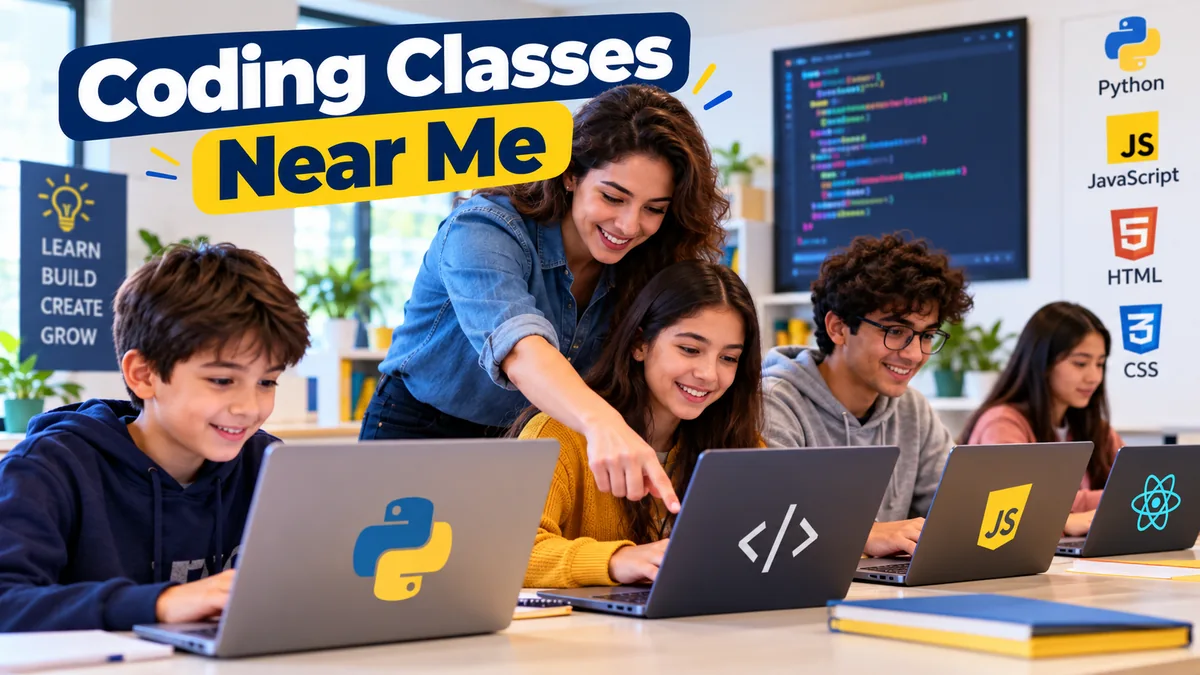

Searching for coding classes near me can quickly become confusing. One program teaches Python, another focuses on web development, while others use Scratch, JavaScript, robotics, game development, or intensive coding bootcamps. Some meet in a classroom; others provide live online instruction that feels much like an in-person course.
The best choice is not necessarily the closest school. It is the program that matches your age, current skill level, learning style, available time, and reason for learning programming.
Coding classes near me are structured programming courses offered by local training centers, schools, colleges, coding academies, community programs, or live online providers. Good classes combine clear instruction with hands-on coding, practical projects, feedback, and progressively harder exercises so students learn how to solve problems rather than simply memorize programming syntax.
What Do Coding Classes Actually Teach?
Coding classes teach you how to give computers instructions using programming languages and development tools. A beginner course normally starts with fundamental ideas before moving into larger projects.
Typical foundational concepts include:
- Variables and data types
- Conditional statements
- Loops
- Functions
- Algorithms
- Debugging
- Problem-solving
- Basic data structures
- User input and output
- Project planning
The exact curriculum depends on the course.
A children’s program may introduce computational thinking through Scratch, animations, games, or robotics. A beginner adult course might start with Python or HTML, CSS, and JavaScript. Career-focused training can progress into React, Node.js, Django, databases, Git, GitHub, APIs, and full-stack web development.
Current coding programs illustrate how broad the field has become. Some beginner courses concentrate on Python, while full-stack programs combine front-end and back-end technologies and require substantially more study time.
That difference matters when comparing local options. Two schools may both advertise “coding classes,” yet prepare students for completely different outcomes.
Who Can Take Coding Classes?
You do not need to be a computer expert to start programming.
Many introductory courses are specifically designed for students with no previous coding experience. Beginner programs can be found for children, teenagers, university students, working professionals, career changers, and adults learning simply out of interest.
Coding Classes for Kids
Children’s coding classes usually emphasize exploration and creativity before complex computer science theory.
Programs may use:
- Scratch
- Code.org
- Minecraft-based activities
- Game development
- Animation
- Robotics
- Simple app development
- Beginner Python
Scratch and other block-based environments are useful because children can work with programming logic without being slowed down by complicated syntax.
Project-based programs may ask students to create games, animations, apps, or robotics projects. This gives them an immediate reason to use the concepts they are learning.
Age still matters. A curriculum designed for a seven-year-old should look very different from a Python course designed for a sixteen-year-old.
Parents searching for coding classes near me should therefore check the recommended age range rather than choosing a class simply because it says “beginner.”
Coding Classes for Teens
Teenagers can usually move beyond visual programming into text-based languages.
Depending on their interests, they might study:
- Python
- JavaScript
- HTML and CSS
- Java
- Mobile app development
- Game development
- Artificial intelligence fundamentals
- Robotics
At this stage, projects become particularly valuable.
Instead of completing isolated exercises every week, students can build a website, application, game, automation script, or other working project. This introduces planning, debugging, testing, and iterative improvement—the parts of programming that become difficult to appreciate through lectures alone.
Coding Classes for Adults
Adult learners often have more specific objectives.
Someone may want to automate repetitive office tasks with Python. Another learner may want to understand web development, while a career changer might need a structured software engineering program.
This is why adults should define their objective before comparing courses.
A short introductory class may be enough for personal development. It is unlikely to provide the same depth as a multi-month software engineering or full-stack development program.
Which Programming Language Should a Beginner Learn?
There is no single best first programming language for everybody. Your first language should match what you want to create.
| Goal | Useful Starting Point | What You Can Learn |
|---|---|---|
| General programming | Python | Logic, automation, scripting |
| Website structure | HTML | Webpage content and structure |
| Website design | CSS | Layout and responsive styling |
| Interactive websites | JavaScript | Browser programming and web apps |
| Kids’ introduction | Scratch | Logic and computational thinking |
| Data analysis | Python + SQL | Data manipulation and databases |
| Full-stack development | JavaScript/Python pathways | Front-end and back-end development |
| Enterprise/application development | Java | Object-oriented programming |
Python is popular in beginner education because its syntax is comparatively readable and it is useful across automation, data science, web development, and other areas.
For web development, HTML and CSS are commonly introduced alongside JavaScript. More extensive programs can then add frameworks, databases, server-side development, and deployment. Current full-stack curricula may include technologies such as React, Node.js, Python, Django, and the MERN stack.
Do not choose a class merely because it teaches the language that currently sounds most impressive. Choose the language that supports the skills you actually want.
How to Find Coding Classes Near Me
A local search is only the beginning. The real work is evaluating the results.
1. Define Your Learning Goal
Start by writing down what you want to accomplish.
For example:
- Learn programming fundamentals
- Build websites
- Create games
- Learn Python
- Develop mobile apps
- Study data science
- Explore artificial intelligence
- Prepare for a computer science degree
- Change careers
- Introduce a child to programming
This immediately removes many unsuitable courses.
If you want to build websites, a general computer literacy class will probably not provide enough programming. If your child is eight, an adult software engineering bootcamp is obviously the wrong learning environment.
2. Search Beyond the First Result
When looking for coding classes near me, compare several types of providers:
- Dedicated coding academies
- Colleges and universities
- Community education programs
- Libraries
- After-school programs
- STEM and robotics centers
- Computer training institutes
- Private tutors
- Coding bootcamps
- Live online coding schools
Location matters, but it should be treated as one criterion rather than the entire decision.
3. Read the Curriculum
A strong course should tell you what students will actually learn.
Be cautious when a program relies almost entirely on phrases such as “become a coding expert” without explaining the curriculum.
Look for specific topics, technologies, projects, course levels, and learning outcomes.
For example, a beginner Python curriculum might progress from variables and conditional logic to loops, functions, collections, object-oriented programming, and practical projects.
A web development curriculum may progress from HTML and CSS to JavaScript, responsive design, Git, APIs, front-end frameworks, databases, and server-side programming.
The sequence should make sense.
4. Check Whether the Class Is Truly Beginner-Friendly
“Beginner” can mean different things.
Ask whether students are expected to understand:
- Basic computer operation
- Programming terminology
- Algebra
- Command-line tools
- HTML
- Another programming language
Many introductory programs require no coding background, but more specialized certificates can have prerequisites.
Knowing this beforehand prevents you from entering a course that moves too quickly.
5. Look at Class Size and Instructor Access
Programming produces questions constantly.
Why did the program crash?
Why is the loop running forever?
Why does the webpage look correct on a laptop but break on a phone?
Why does one function return the wrong result?
Students need opportunities to ask these questions and understand the answers.
Small groups and accessible instructors can make this easier. Some current live coding programs specifically emphasize small classes and direct instructor support as part of their teaching model.
For younger students and complete beginners, instructor access can be particularly valuable.
6. Ask About Hands-On Projects
You cannot learn programming effectively by watching someone else code for weeks.
Students need to write code themselves.
A useful course should include exercises and projects that become progressively more independent. Project-based learning is common in structured coding programs because it requires learners to apply concepts rather than simply recognize them.
A beginner might start with a calculator or simple game.
Later projects could include:
- Personal websites
- Interactive web applications
- Python utilities
- Database projects
- Games
- Mobile apps
- Data dashboards
- Automation scripts
The finished product matters less than the thinking required to build it.
In-Person vs Online Coding Classes
Searching for coding classes near me does not mean you must choose a physical classroom.
Live online education has changed the comparison considerably. Many providers now teach instructor-led courses remotely, while some offer both classroom and virtual attendance.
| Factor | In-Person Classes | Live Online Classes | Self-Paced Courses |
|---|---|---|---|
| Instructor interaction | High | High when live | Usually limited |
| Location required | Yes | No | No |
| Schedule flexibility | Moderate | Moderate to high | Very high |
| Peer interaction | Strong | Varies | Limited |
| Immediate feedback | Usually available | Usually available | Often delayed |
| Learning pace | Structured | Structured | Self-directed |
| Local commute | Required | None | None |
| Best for | Classroom learners | Remote structured learners | Independent learners |
When In-Person Classes Make Sense
Choose classroom instruction if you learn better through face-to-face interaction, need a structured environment, want local classmates, or find it difficult to stay focused at home.
A physical class can also work well for younger learners who benefit from a dedicated learning environment.
When Live Online Classes Make Sense
Live online classes are worth considering when the best local program is too far away or does not teach your preferred subject.
They can provide scheduled lessons, instructors, classmates, and feedback without commuting.
This can greatly expand your choices. Instead of selecting from only a few nearby schools, you can compare programs based on curriculum and teaching quality.
When Self-Paced Learning Makes Sense
Self-paced learning works best for disciplined students who can solve problems independently.
It offers maximum scheduling flexibility, but there is an important tradeoff: when you get stuck, there may not be an instructor available immediately.
Beginners who have repeatedly started free tutorials and stopped after a few lessons may benefit more from scheduled classes and accountability.
How Much Do Coding Classes Cost?
There is no universal price for coding education.
The cost depends on:
- Course duration
- Instructor experience
- Class size
- Location
- Subject
- Student age
- Private vs group instruction
- Online vs classroom delivery
- Career services
- Number of teaching hours
- Program intensity
A short introductory course and a career-oriented bootcamp should not be compared on tuition alone.
Current programs range from relatively short beginner courses to certificates containing hundreds of hours of training. Some intensive software engineering programs include mentoring and career-oriented support, while children’s courses may meet for only one or two sessions each week.
A better comparison is:
total cost ÷ meaningful instructional hours
Then examine what those hours contain.
Ten hours of individual coaching may provide more value for one learner than thirty hours of large-group lectures. For another student, the longer group course may provide exactly the structure they need.
What Makes a Good Coding Instructor?
Programming ability and teaching ability are not the same thing.
An excellent developer can still struggle to explain basic concepts to a first-time student.
Good instructors should be able to:
- Explain concepts in plain language
- Demonstrate why code works
- Help students debug without simply giving them answers
- Adjust explanations when students are confused
- Connect theory to practical projects
- Give useful feedback
- Encourage independent problem-solving
For children’s programs, instructors should also know how to maintain attention and explain abstract concepts in age-appropriate ways.
Before enrolling, look for instructor biographies, teaching experience, student feedback, sample lessons, or trial classes.
Why Projects Matter More Than Certificates
Certificates can document course completion, and many coding programs provide them.
But completing a course and being able to build software are different achievements.
For practical learning—and particularly for career-oriented students—a portfolio can demonstrate what you can actually do.
Useful portfolio projects might include:
- Responsive website
- To-do application
- Weather application using an API
- Python automation tool
- Data visualization project
- Database-backed application
- Small game
- Personal portfolio website
Git and GitHub are also worth learning as skills develop. Git introduces version control, while GitHub gives students a practical place to manage and present coding projects.
A certificate can complement those projects. It should not replace them.
Coding Bootcamp or Regular Coding Class?
The right choice depends on your objective and available time.
Regular Coding Classes
Regular classes are usually better when you:
- Are completely new to coding
- Want to explore programming before making a large commitment
- Are learning alongside school or work
- Want to study one language
- Prefer a gradual pace
Coding Bootcamps
Bootcamps are generally more intensive.
Career-focused programs may cover full-stack development, software engineering, cloud technology, cybersecurity, or data-related subjects over several months. Some programs require substantial weekly class and self-study commitments.
Bootcamps can provide structure, but they are not shortcuts.
Expect to spend significant time outside class reading documentation, debugging code, completing assignments, and building projects.
Before paying for a bootcamp, ask for the weekly workload in writing.
What Should You Ask Before Enrolling?
A short conversation with the provider can reveal far more than promotional material.
Ask:
- Is this course suitable for someone with no programming experience?
- What languages and tools will I learn?
- How much time should I study outside class?
- How many students are normally in each class?
- Are lessons live or prerecorded?
- Will I receive feedback on my code?
- What projects will I complete?
- Can I see examples of student projects?
- What happens if I miss a lesson?
- Are computers or software provided?
- Are there additional fees?
- Can I attend a trial or introductory lesson?
- What qualifications or experience do the instructors have?
- What should I be able to build by the end?
- What is the refund or cancellation policy?
For career-focused courses, also ask exactly what career assistance includes. “Career support” can mean anything from a résumé workshop to individual mentoring, so get specific details before treating it as a major benefit.
Red Flags to Watch For
Some warning signs should make you investigate further.
Guaranteed Job Claims
No course can control hiring decisions, economic conditions, your interview performance, or how well you ultimately learn the material.
Be skeptical of unrealistic guarantees.
No Detailed Curriculum
A credible coding school should be able to explain what students learn.
If the curriculum consists mostly of marketing language, ask for a lesson-by-lesson or module-by-module outline.
Too Many Technologies in Too Little Time
A course promising mastery of Python, Java, JavaScript, C++, artificial intelligence, data science, cybersecurity, mobile development, and full-stack engineering in a few weeks deserves scrutiny.
Exposure is possible. Mastery is not.
No Actual Coding Projects
Programming requires practice.
If most classroom time consists of lectures or videos and students rarely write code, look elsewhere.
Outdated Course Material
Programming fundamentals age slowly, but tools, frameworks, libraries, and professional workflows change.
Career-oriented programs should periodically update their curriculum.
Pressure to Pay Immediately
Take time to compare the curriculum, schedule, instructor quality, refund terms, and total cost before committing to an expensive program.
How Long Does It Take to Learn Coding?
There is no single timeline.
A student can understand basic variables, conditions, and loops fairly quickly. Building applications independently takes longer.
Progress depends on:
- Weekly practice time
- Previous technical experience
- Course quality
- Difficulty of the language
- Project complexity
- Problem-solving ability
- Consistency
- Access to feedback
The biggest mistake is treating coding like a subject you can learn entirely by watching lessons.
A better routine is:
- Learn one concept.
- Type the example yourself.
- Modify the example.
- Break it intentionally.
- Debug it.
- Use the concept in a small project.
- Revisit it later without following a tutorial.
This creates active recall and forces you to understand what the code is doing.
Are Free Coding Classes Worth Trying First?
Yes, particularly if you have never programmed before.
Free resources can help you determine whether you actually enjoy coding before paying for a course.
They are also useful for learning basic terminology. If you already understand variables, functions, loops, and simple debugging before entering a structured course, you can spend more classroom time asking deeper questions.
Free learning becomes less effective when you constantly switch between tutorials.
Choose one structured path and finish it.
If you repeatedly get stuck, lose motivation, or do not know what to learn next, that is when an instructor-led class may provide greater value.
What Equipment Do You Need?
For most beginner coding courses, you need surprisingly little.
A typical setup includes:
- Laptop or desktop computer
- Reliable internet connection for online classes
- Modern web browser
- Code editor or integrated development environment (IDE)
- Video conferencing software for remote classes
- Course-specific applications
Some children’s coding centers provide computers in their labs, while other programs expect students to bring their own device.
Ask before enrolling.
For introductory Python or web development, you usually do not need an expensive high-performance computer.
How Parents Can Evaluate Coding Classes for Kids
Parents face a slightly different decision.
The goal should not simply be to teach a child a programming language as quickly as possible.
Look for a program that develops:
- Logical thinking
- Creativity
- Persistence
- Problem-solving
- Digital literacy
- Independent experimentation
Young students should spend meaningful time creating things.
Programs centered on games, animations, apps, robotics, and other hands-on projects can make abstract programming concepts easier to understand.
After a trial lesson, ask your child what they created—not merely whether they “had fun.”
If they can explain what they built, what problem they encountered, and how they fixed it, the class is probably doing more than providing screen-based entertainment.
How to Compare Your Final Choices
Once you have narrowed your search to three or four programs, score each one using the same criteria.
| Criterion | What to Look For |
|---|---|
| Curriculum | Clear progression and relevant technologies |
| Instructor | Programming knowledge plus teaching ability |
| Projects | Regular hands-on development |
| Feedback | Help with errors and code quality |
| Class size | Enough access to the instructor |
| Schedule | Realistic alongside school or work |
| Format | In-person, live online, or self-paced |
| Level | Appropriate prerequisites and difficulty |
| Cost | Reasonable relative to instruction provided |
| Outcomes | Specific skills and projects |
| Policies | Clear cancellation and refund terms |
Do not allow proximity to outweigh everything else.
A class five minutes away with a weak curriculum may be less useful than a strong live online course or a slightly farther training center.
Making the Most of Your Coding Class
Enrolling is only the beginning.
Students who improve fastest usually code outside scheduled lessons.
After every class:
- Rebuild examples without copying them.
- Experiment with the code.
- Keep notes on errors and solutions.
- Complete unfinished exercises.
- Build small personal projects.
- Read error messages before asking for help.
- Practice consistently instead of cramming.
One useful habit is maintaining a “bug journal.”
Whenever you solve a difficult error, record what caused it and how you fixed it. Over time, you build your own debugging reference while becoming better at recognizing recurring problems.
Also resist the urge to jump constantly between languages.
Learning Python fundamentals properly will usually teach you more about programming than learning a tiny amount of five different languages.
Are Coding Classes Near Me Worth It?
They can be, provided the program offers something you would struggle to get from independent study.
The biggest advantages of structured coding education are usually accountability, curriculum sequencing, instructor feedback, peer interaction, and help when you get stuck.
The disadvantages can include tuition costs, fixed schedules, commuting, and the possibility that a local curriculum is not the best match for your goals.
That is why the question should not simply be, “Where is the closest coding school?”
A better question is:
Which available class gives me the right combination of instruction, projects, feedback, difficulty, schedule, and cost?
Final Thoughts on Choosing Coding Classes Near Me
A search for coding classes near me can lead to children’s programs, Python courses, web development classes, private tutoring, live online instruction, and intensive software engineering bootcamps. They are not interchangeable.
Start with your goal. Then compare the curriculum, instructor access, class size, projects, prerequisites, schedule, total cost, and learning format.
For beginners, a good program should make programming understandable without making it passive. You should spend substantial time writing code, solving problems, debugging mistakes, and building projects.
If two courses appear equally strong, try an introductory lesson where possible. The best coding class is ultimately the one that gives you a clear learning path and keeps you actively coding rather than simply watching someone else do it.
