
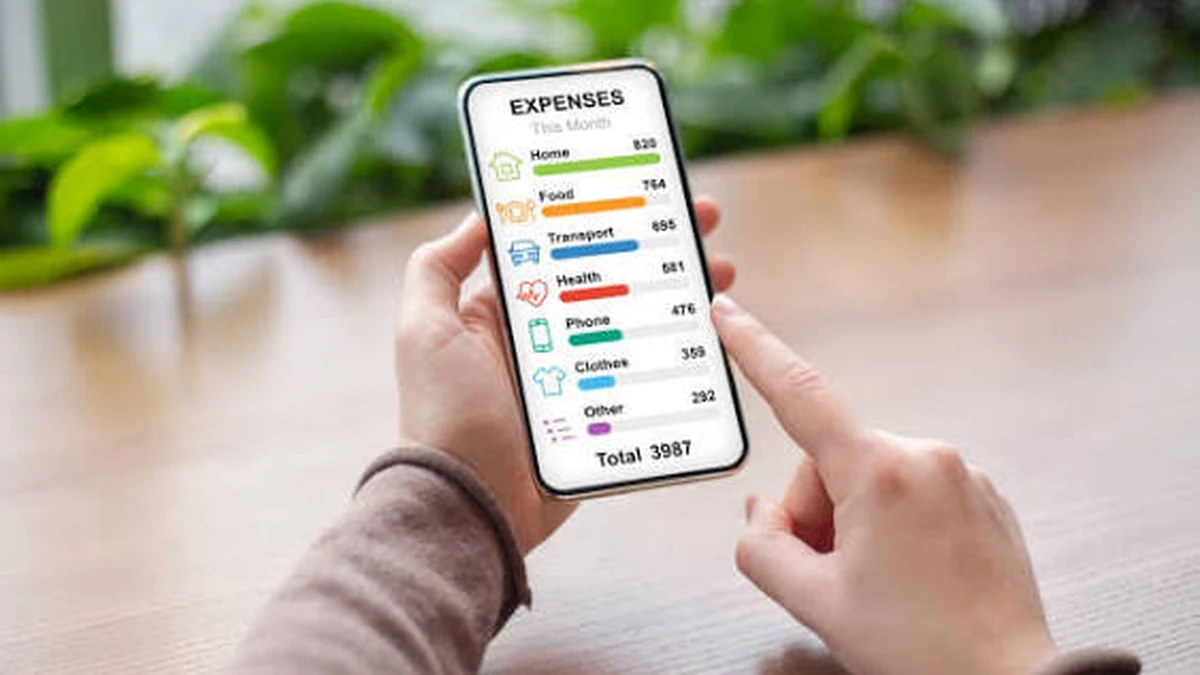

Nobody starts a business expecting to spend their evenings matching credit card statements to a shoebox of receipts. Yet a lot of small business owners and freelancers are still doing exactly that, and the data backs it up: a recent industry report found that most people spend over half an hour filing a single expense report, and a large share of expense managers are still processing everything by hand. AI expense tracking apps exist to close that gap — and by 2026, the good ones do far more than just remind you to log a purchase.
AI expense tracking apps use optical character recognition (OCR) and machine learning to automatically capture, categorize, and reconcile spending from receipts, emails, or linked accounts — turning what used to be manual data entry into a few seconds of review. The best ones now sync directly with accounting platforms like QuickBooks and Xero, flag odd charges, and generate audit-ready reports without you touching a spreadsheet.
That said, “AI” has become a loose marketing label in this space. Some tools genuinely use machine learning to predict categories and catch anomalies; others are running the same OCR technology from five years ago with a new label on the box. This guide walks through what actually separates them, what they cost, and — the part most comparison articles skip — what you’re trading away in terms of data privacy when you connect your finances to one.
What Makes an Expense Tracker “AI” in 2026 (Not Just Marketing)
At its core, an AI expense tracker does three things a plain spreadsheet can’t: it reads a receipt, understands what’s on it, and learns from your corrections over time.
The reading part is OCR. Point your phone camera at a receipt, and the app extracts the merchant name, date, total, and tax. That technology has existed for years and is genuinely mature now — several tools report accuracy in the low-to-mid 90s percent range on messy receipts (think crumpled gas station slips or supermarket tape with abbreviated line items), and closer to 99% on clean, single-column receipts.
The “understanding” layer is where machine learning earns its keep. Instead of just grabbing a total, a well-built AI expense tracker matches that receipt against your card transactions, assigns a spending category based on merchant type and your past behavior, and flags anything that looks off — a duplicate charge, an amount that doesn’t match the receipt, a purchase outside your usual pattern. Expensify’s SmartScan is a widely cited example of this working well in practice; users on forums like r/smallbusiness frequently note it’s the first tool that got them to stop hoarding paper receipts altogether.
The learning part is what separates a genuinely useful assistant from a glorified scanner. Every time you correct a miscategorized expense, a well-designed tool should get slightly better at guessing right the next time — for you specifically, not just in general.
Quick takeaway: if a tool only extracts a total and a date, it’s an OCR scanner with an AI label. If it also categorizes, reconciles, and improves from your corrections, it’s doing what “AI expense tracking” should actually mean.
The Best AI Expense Tracking Apps in 2026, Compared
There’s no single “best” app — the right pick depends heavily on whether you’re a solo freelancer or a 40-person company issuing corporate cards. Here’s how the major players currently stack up.
| App | Best For | Starting Price | Standout AI Feature | Key Integrations |
|---|---|---|---|---|
| Expensify | Freelancers to mid-size teams wanting standalone software | Free (individual); $5/user/mo team plans | SmartScan receipt extraction, matched against 10,000+ bank feeds | QuickBooks, Xero, NetSuite |
| Ramp | Companies willing to switch to Ramp’s corporate cards | Free (revenue comes from card interchange) | AI-flagged savings opportunities, automated receipt matching | QuickBooks, Xero, NetSuite, Sage Intacct |
| Zoho Expense | Budget-conscious small teams already in the Zoho ecosystem | Free for up to 3 users; $4/user/mo paid | Autoscan for receipts, multi-currency handling | Zoho Books, QuickBooks |
| Wave | Solo freelancers who also need invoicing/accounting | Free core plan | Bundled accounting + expense tracking | Built-in accounting suite |
| FreshBooks | Freelancers focused on client billing | Paid plans, no user-limit-free tier | Expense-to-invoice linking | QuickBooks-adjacent workflows |
| SAP Concur | Larger enterprises needing custom policy control | Custom/enterprise pricing | Real-time dashboards, deep policy automation | ERP-level integrations |
| Fyle (Sage Expense Management) | Teams wanting text-based receipt submission | From ~$12/user/mo | Submit receipts by text message, AI categorization | Sage, QuickBooks, Xero |
A pattern worth noticing: the apps built around corporate cards (Ramp, and to an extent Expensify’s card program) tend to be free or cheap for the software itself because the company makes money on card interchange fees instead of subscriptions. If you’re not willing to switch your company card, that pricing model doesn’t apply to you — and Expensify or Fyle become the more realistic standalone options.
Which AI Expense Tracker Fits Your Situation
Freelancers and solo founders
You don’t need approval workflows or multi-level policy enforcement — you need something fast that keeps your tax deductions organized. Wave’s free tier covers basic tracking with invoicing built in, which is hard to beat if you’re also billing clients. Expensify’s free individual plan is a strong alternative if receipt-scanning accuracy matters more to you than invoicing.
Small teams and growing companies
Once you have a handful of employees submitting expenses, you need approval workflows and accounting sync, not just receipt capture. Zoho Expense is a genuinely underrated pick here — its free tier covers up to three users, and paid plans stay cheap relative to Expensify’s higher tiers. If your team already lives in QuickBooks or Xero, prioritize apps with proven two-way sync rather than one-way CSV exports, which quietly create reconciliation headaches later.
Companies issuing corporate cards
This is Ramp’s core audience, and it shows — automated receipt matching against card transactions, real-time spend limits, and AI-flagged savings recommendations are built around the assumption that you’re using their cards. Expensify and SAP Concur both support a “bring your own card” model if you’re not ready to switch, at the cost of some automation depth.
Frequent travelers and multi-currency spenders
Look specifically for live exchange-rate conversion, multi-language receipt OCR, and Gmail or email-based receipt import for flights and hotel bookings — features that plenty of general-purpose expense apps still handle poorly. This is a category where dedicated travel-expense tools tend to outperform broader platforms that treat multi-currency as an afterthought.
What These Apps Actually Cost
Pricing in this category ranges more widely than most buyers expect — from genuinely free to well over $30 per user per month once you add corporate card features and advanced approval workflows.
| Pricing Tier | Typical Range | What You Get |
|---|---|---|
| Free / individual | $0 | Basic receipt scanning, manual categorization, limited users |
| Entry team plan | $4–$5/user/mo | AI categorization, basic accounting sync, small team support |
| Mid-tier / control plans | $9–$12/user/mo | Approval workflows, policy enforcement, corporate card reconciliation |
| Enterprise | $20–$36+/user/mo or custom | Multi-level approvals, custom GL mapping, dedicated support, ERP integration |
The card-linked platforms (Ramp being the clearest example) flip this model — the core software is free because the business earns revenue through interchange fees on the corporate cards you use. That’s worth factoring in if you’re comparing “free” apps: free from a subscription standpoint doesn’t always mean free of tradeoffs.
Is It Safe to Let AI See Your Expenses?
This is the question most roundup articles skip entirely, and it deserves a straight answer.
Most AI-powered personal and business finance apps rely on a third-party data aggregator — Plaid is the dominant one — to pull transactions from your bank in the first place. That introduces a second company into your data chain beyond the app itself, and if either party is compromised, your transaction history (and in some cases your credentials) is potentially exposed. Some tools go a step further and route transaction data through external AI models for categorization and insights, which adds yet another party with access to your financial details.
That doesn’t mean bank-linked AI expense trackers are unsafe to use — reputable providers using regulated, read-only open banking connections are a meaningfully different risk profile than typing your bank password directly into a random app. But it does mean “does this app link to my bank” is a real question worth asking before you sign up, not an afterthought.
If minimizing that exposure matters to you, there’s a smaller but growing category of expense trackers built specifically without bank linking — you upload receipt photos or bank statement PDFs manually, and the AI extracts and categorizes from what you choose to share, nothing more. It’s a genuine tradeoff: less automation, since nothing updates until you upload something, in exchange for a much smaller data footprint. For freelancers tracking tax-deductible spending rather than running live corporate card programs, that tradeoff is often worth it.
A practical middle ground worth knowing about: several banking apps now offer built-in spending trackers and savings goals that never leave the bank’s own secure environment — no third-party AI connection at all. It’s less feature-rich than a dedicated AI expense app, but for anyone uneasy about handing transaction data to another company, it’s worth checking before adding a new tool to the stack.
How to Choose the Right App (And Mistakes Worth Avoiding)
- Match the tool to your team size, not the marketing. A five-person team doesn’t need SAP Concur’s enterprise policy engine, and a 200-person company will outgrow a freelancer-focused app within a quarter.
- Check accounting sync depth before signing up, not after. A one-way CSV export is not the same as true two-way sync with QuickBooks or Xero — the difference shows up at month-end reconciliation, not during the demo.
- Decide your stance on bank linking upfront. Retrofitting a privacy decision after your team has three months of transaction history in a tool is far messier than deciding before onboarding.
- Test OCR accuracy on your actual receipts, not the demo receipt. Crumpled gas receipts and multi-column grocery tape are where accuracy claims fall apart — run a real test before committing a whole team.
- Watch for pricing that scales past what you need. Several platforms look cheap at the entry tier and jump sharply once you need approval workflows or corporate card reconciliation — read the full pricing page, not just the homepage number.
- Don’t switch corporate cards purely to get free software. It can be a good deal, but only if the card itself fits your existing banking relationships and cash flow needs — the free expense software is a bonus, not the main decision.
The single most common mistake: businesses pick a tool based on a “best of” list without checking whether it integrates with the accounting software they already use. The AI can be flawless at reading a receipt and still create hours of manual cleanup work if the numbers don’t sync cleanly into your books.
AI expense tracking has genuinely closed the gap between “spending happens” and “spending is recorded and categorized correctly” — but the category still rewards buyers who ask two extra questions most reviews don’t: does this actually sync with my accounting software, and am I comfortable with what it needs access to in order to work? Answer those two, and picking between Expensify, Ramp, Zoho Expense, or one of the smaller privacy-first tools becomes a much shorter decision.
STILL HAVE QUESTIONS? HEAD BACK TO OUR HOMEPAGE FOR OUR FULL LIBRARY OF GUIDES.
FAQ Section
What is the best AI expense tracking app?
There isn’t one universal best — Expensify is widely considered the strongest all-around choice for receipt scanning and reimbursement, Ramp is the top pick if you’re open to corporate cards, and Zoho Expense or Wave suit budget-conscious freelancers and small teams best.
Are AI expense tracker apps safe?
Reputable apps using regulated, read-only bank connections are generally safe, but most rely on third-party aggregators like Plaid, which adds a second party with access to your data. Upload-only tools that skip bank linking entirely offer a smaller data footprint if privacy is a priority.
Do AI expense apps require linking my bank account?
Not always. Most mainstream platforms default to bank linking for automation, but a growing set of privacy-focused apps work entirely from uploaded receipts or statements, with no account connection required.
How accurate is AI receipt scanning?
Modern OCR-based scanning typically ranges from the low-90s to 99%+ accuracy depending on receipt condition — clean, single-column receipts score highest, while crumpled or multi-column supermarket receipts are the hardest case for most tools.
What’s the difference between an AI expense tracker and a regular one?
A regular tracker requires manual entry or basic OCR that only grabs totals. An AI expense tracker categorizes spending, matches receipts to transactions, flags anomalies, and improves its accuracy from your corrections over time.
Can AI expense trackers help with tax deductions?
Yes — by keeping spending organized into tax-relevant categories with attached receipts, these apps make it far easier to substantiate deductions and avoid scrambling for documentation at tax time.
What is the best free AI expense tracking app?
Wave offers a genuinely free core plan with invoicing included, Expensify’s individual tier is free with strong receipt scanning, and Ramp’s software is free (monetized through card interchange) if you’re open to switching corporate cards.
How much do AI expense tracking apps cost?
Pricing spans free individual tiers up to roughly $36 per user per month for enterprise plans with full policy enforcement and corporate card management — most small teams land in the $4–$12/user/month range.
