

I spent three years drowning in interview recordings before I trusted an AI transcription tools enough to quote from them without re-listening to the whole file. That trust took a while to earn, and it’s still conditional — the right tool for a clean solo recording is not the right tool for a five-person Zoom call with three accents talking over each other.
Quick answer: For most people, Otter.ai is the best all-around pick for live meetings, Descript wins for podcast and video editing, Sonix is the strongest choice for multilingual or enterprise-security needs, and Rev is what you reach for when a transcript has to be close to perfect. AI accuracy now sits in the 90–96% range on clean audio, but drops fast with crosstalk, accents, or background noise — which is why picking a tool still depends heavily on your actual audio, not just the marketing page.
What AI transcription software actually does
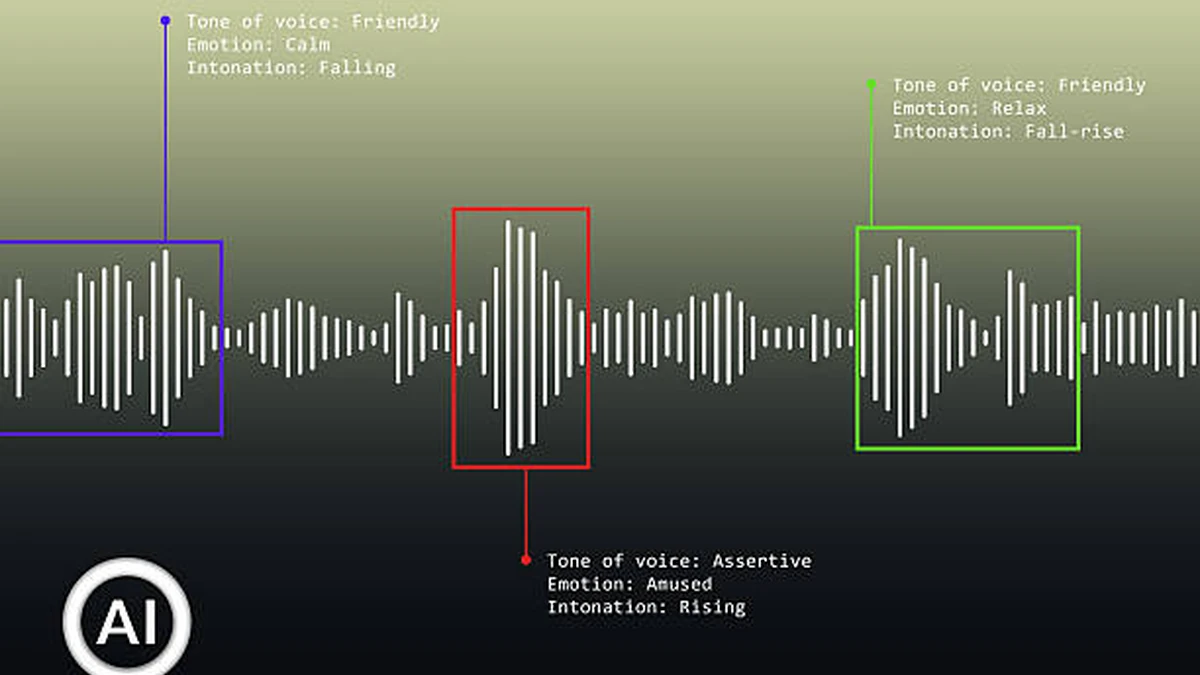
Transcription software turns spoken audio into written text. The AI kind does this through an automatic speech recognition (ASR) model — think of it as a specialized language model trained to map sound waves to words — rather than a person typing while they listen.
Two things separate a good AI transcription tool from a mediocre one: how it handles messy real-world audio, and what it lets you do with the transcript afterward. A model can post a great accuracy number on a clean lab recording and still fall apart on a conference call with a bad connection. That gap between lab benchmarks and your actual meeting is the whole ballgame.
Most modern tools also bundle features that used to require separate software: speaker diarization (automatically labeling who said what), real-time captioning during a live call, and export formats built for subtitles or video editing.
The best AI transcription tools, by use case
There’s no single “best” tool here — the leading products have specialized hard enough that picking by use case beats picking by star rating.
| If you need… | Best pick | Why |
|---|---|---|
| Live meeting notes | Otter.ai | Joins Zoom/Meet/Teams, transcribes in real time, auto-generates summaries and action items |
| Podcast or video editing | Descript | Edit audio/video by editing the text transcript directly |
| Multilingual or enterprise use | Sonix | Broad language coverage plus SOC 2 Type II and HIPAA-ready workflows |
| Court-grade or medical accuracy | Rev | Human transcription option alongside AI, built for when errors carry real consequences |
| Subtitles and translation | Happy Scribe | Transcription plus translation into 80+ languages in one workflow |
| Cheap, high-volume uploads | TurboScribe | Unlimited uploads on a flat plan, Whisper-based |
| Sales calls and CRM-linked notes | Fireflies.ai | Call analytics layered on top of transcription |
| Building transcription into your own app | AssemblyAI, Deepgram, or Whisper | Pay-per-minute APIs instead of a consumer subscription |
The tools, one by one
Otter.ai — best for live meetings
Otter’s whole design points at one moment: the meeting that’s happening right now. It joins Zoom, Google Meet, and Microsoft Teams calls, transcribes as people talk, and lets everyone follow along live instead of waiting for a finished file. After the call, it condenses the transcript into a summary with assigned action items, and it connects to Salesforce, HubSpot, and Slack so notes land where teams already work.
Where it struggles: pure file-upload accuracy on noisy or heavily accented audio isn’t its strongest suit compared to file-first tools like Sonix.
Descript — best for podcast and video editing
Descript treats the transcript as the editing surface. Delete a sentence of text, and the corresponding audio or video gets cut. That’s a genuinely different workflow from timeline-based editors, and once creators get used to it, going back is hard. It also handles filler-word removal and studio-quality voice cleanup.
It’s a recording and editing platform first, transcription tool second — so if raw transcription accuracy on a difficult file is your only concern, it’s not the top of the leaderboard.
Sonix — best for multilingual and enterprise security
Sonix markets up to 99% accuracy across roughly 50 languages, and backs that with SOC 2 Type II certification and HIPAA-ready workflows — which matters if legal, compliance, or a security review is part of your buying process. It’s used by large organizations including universities and enterprise teams that need an audit trail, not just a transcript.
Rev — best for human-grade accuracy
Rev runs two tracks: AI transcription at a fraction of a cent per minute, and professional human transcription for around $1.25–$1.99 per minute. The AI tier is fine for everyday use; the human tier is what legal and healthcare teams reach for when a transcription error could actually matter. Many teams run a hybrid workflow — AI first for speed, human review for the sections that count.
Happy Scribe — best for subtitles and translation
Happy Scribe covers around 150 languages for transcription and translation into roughly 80 more, plus an optional human transcription add-on. The trade-off is per-minute metering rather than a flat unlimited plan, so it suits teams whose core need is subtitling or multilingual delivery rather than pure meeting notes.
TurboScribe — best cheap, unlimited option
Built on Whisper, TurboScribe’s pitch is simple: affordable, effectively unlimited uploads. It won’t out-accuracy specialized enterprise tools, but for high-volume, budget-conscious transcription of lectures, interviews, or personal recordings, it’s hard to beat on price.
The newer AI-notetaker wave: Fireflies.ai, Granola, Fathom, tl;dv
This is the fastest-moving corner of the market. Fireflies.ai adds sales-call analytics on top of transcription. Granola and Fathom focus on clean, low-friction meeting summaries. tl;dv leans into video-call highlight clips. Krisp adds noise cancellation for messy home-office audio, and Jamie positions itself around privacy for teams wary of cloud-based meeting bots. None of these fully replace a dedicated transcription tool for file-based work, but for meeting notes specifically, they’re now genuine Otter alternatives worth a look.
How accurate is AI transcription, really?
This is where marketing pages and independent testing tell different stories, and it’s worth being honest about the gap.
Vendors advertise up to 99% accuracy. On the newest engines, that’s plausible under ideal conditions: Deepgram Nova-3 has posted roughly 5% median Word Error Rate (WER) on noisy real-world benchmarks, and OpenAI’s Whisper large-v3 typically lands in the 8–12% range on real-world audio while leading on multilingual coverage. Mistral’s Voxtral Transcribe models have pushed WER below 4% on some standardized benchmarks.
But independent audits paint a rougher picture once you leave clean, single-speaker audio. One widely cited independent study found AI accuracy averaging in the low 60s on percentage terms for certain real-world samples, with even strong ASR systems topping out around 86% — well short of human transcribers, who consistently hit around 99%. Academic research on oral-history recordings has found AI Word Error Rates of 15–24%, compared to roughly 8–9% for trained human transcribers.
The honest takeaway: for podcasts, meetings, lectures, and interviews, AI transcription at 90–96% is genuinely good enough for most purposes. For legal depositions, medical documentation, or anything where a misheard word has consequences, human transcription — or at minimum a human review pass — is still the safer bet.
Quick takeaway: Treat vendor accuracy numbers as a ceiling, not a guarantee. Background noise, crosstalk, and accents are what actually determine your real-world result.
Developer APIs vs. ready-made apps
If you’re building transcription into your own product rather than using someone else’s app, the calculation changes. AssemblyAI (Universal-2 model) and Deepgram (Nova-3) are the two most commonly benchmarked developer APIs, priced per minute of audio processed rather than by monthly subscription. OpenAI’s Whisper is free and open-source but requires command-line comfort and your own compute to run at scale. Mistral’s Voxtral models are newer entrants pushing accuracy further while keeping per-minute costs low.
The trade-off is straightforward: consumer apps like Otter or Sonix hand you a finished workflow — upload, get a transcript, done. APIs hand you raw transcription output that you have to build a product around yourself.
Security and compliance: what regulated teams need to check
If you’re transcribing healthcare, legal, or financial conversations, two certifications matter more than any accuracy percentage: SOC 2 Type II, which confirms a vendor’s security controls have been audited over time rather than just documented on paper, and HIPAA-ready workflows, which matter specifically for any audio containing patient information. Sonix is the clearest example of a tool built around both from the ground up. Before signing a contract, ask directly for the vendor’s SOC 2 report and a signed Business Associate Agreement if HIPAA applies — a marketing page that says “secure” isn’t the same as a vendor willing to put it in writing.
Pricing: subscription vs. pay-per-minute
AI transcription pricing splits into two models. Consumer subscription tools (Otter, Sonix, Descript, Happy Scribe) charge a flat monthly fee with a set number of included minutes, typically starting around $8–$24 a month. Pay-per-minute options run from roughly $0.003 to $0.25 per minute for AI processing, scaling up to $0.72–$1.99 per minute for human transcription.
Subscriptions make sense for steady, predictable use — a team running weekly meetings, for instance. Pay-per-minute suits occasional or bulk jobs, like transcribing a backlog of old interviews once. If you’re processing high volume, do the per-minute math against a subscription before committing; the crossover point comes faster than most people expect.
Five ways to get better transcripts out of any tool
- Record in a quiet room. Background noise is the single biggest accuracy killer across every tool tested.
- Avoid overlapping speech. Ask people to finish before jumping in — crosstalk is where accuracy drops fastest.
- Set the language manually instead of using auto-detect when you know it in advance.
- Use an external microphone rather than a laptop’s built-in mic for anything that matters.
- Run a QA pass on names, numbers, and technical terms. These are the categories AI most commonly gets wrong, regardless of vendor.
Picking a transcription tool ultimately comes down to matching it to your actual audio and your actual risk tolerance. A podcaster and a healthcare compliance officer should not be shopping the same shortlist. Start with the use-case table above, test the free tier or trial on your own audio, and only then commit to a subscription.
CURIOUS ABOUT WHAT ELSE WE’VE COVERED? BROWSE MORE AI TOOL GUIDES RIGHT NOW.
FAQ
How accurate is AI transcription in 2026?
On clean audio, leading engines land between 90% and 96% accuracy (4–10% Word Error Rate). On noisy, multi-speaker, or heavily accented audio, that can fall well below 85%. Human transcription remains the benchmark at around 99%.
Is AI transcription better than human transcription?
For speed and cost, yes — AI is dramatically faster and cheaper. For accuracy on complex, technical, or high-stakes audio, human transcription still wins, particularly for legal or medical content.
What is the most accurate AI transcription tool?
Based on published Word Error Rate benchmarks, newer engines like Deepgram Nova-3 and Mistral’s Voxtral models currently post some of the lowest error rates, though real-world results vary by audio quality.
Is there a free AI transcription tool?
OpenAI’s Whisper is free and open-source, though it requires technical setup. TurboScribe and several other consumer tools offer limited free tiers.
How much does AI transcription cost per minute?
AI transcription typically runs $0.003–$0.25 per minute, compared to $0.72–$1.99 per minute for human transcription.
Can AI transcription tools identify different speakers?
Yes — speaker diarization, which labels who said what, is now standard across nearly every commercial AI transcription tool.
Which AI transcription tool works best for Zoom meetings?
Otter.ai and Fireflies.ai are the most widely used for live Zoom, Google Meet, and Microsoft Teams transcription.
Is AI transcription HIPAA compliant?
Some tools are — Sonix, for example, offers HIPAA-ready workflows and SOC 2 Type II certification. Always confirm directly with a vendor and get a signed Business Associate Agreement before transcribing patient data.
