

Most antivirus software comparisons you’ll find online are really just discount codes wearing a lab coat. Somewhere between the “78% off” banners and the six affiliate links per paragraph, the actual differences between products get lost.
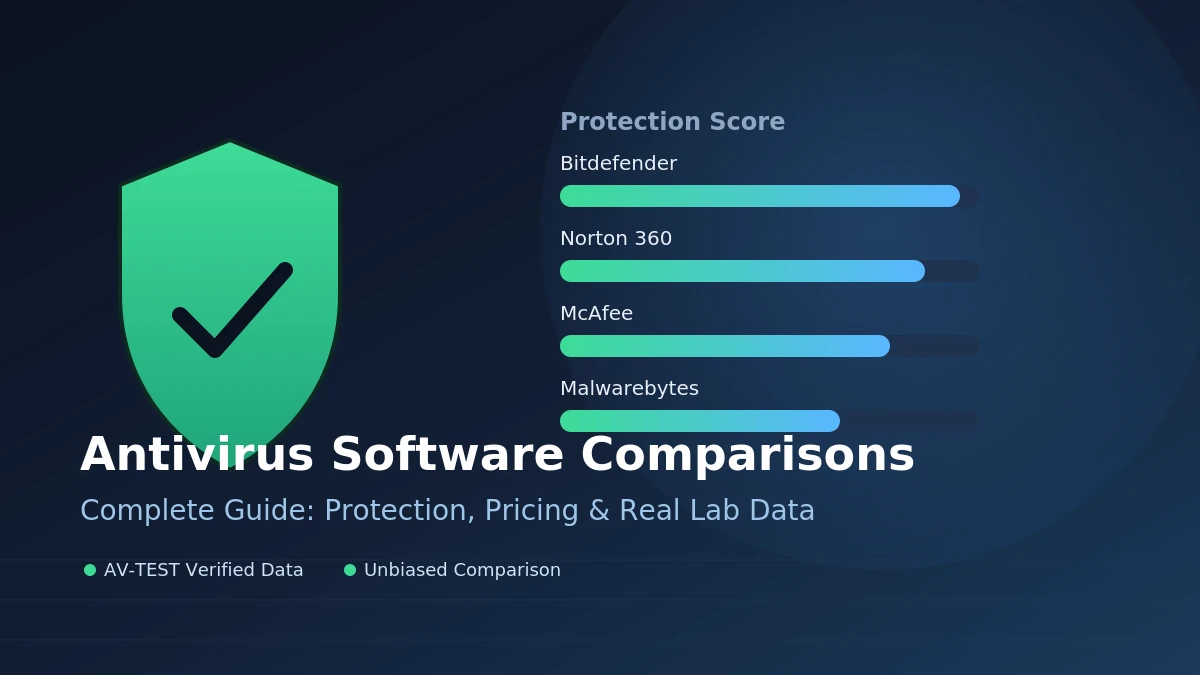
Quick answer: Bitdefender currently offers the strongest core malware detection with the lowest false-positive rate, Norton 360 packs the broadest all-in-one suite with unlimited VPN and identity monitoring, McAfee wins on unlimited-device pricing for large households, and Malwarebytes excels at removing threats that slip past traditional antivirus rather than replacing one outright. None of them wins every category.
What “Best” Actually Means When You’re Comparing Antivirus Software
Independent labs like AV-TEST and AV-Comparatives score products across three areas: protection, performance, and usability. A product needs a combined score of 10 out of 18 to earn the AV-TEST seal of approval, and 17.5 or higher to earn the “TOP PRODUCT” label. That distinction matters more than any single vendor’s marketing claim, because it’s measured the same way for every product tested.
False positives are the quiet metric most shoppers skip. A program that blocks 100% of malware but also flags your tax software or a legitimate installer every other week isn’t actually more secure — it’s just annoying enough that people eventually click “allow” on everything, which defeats the point. In recent AV-Comparatives testing, Bitdefender logged 4 false alarms compared to Norton’s 9 and McAfee’s 14, while all three still cleared the Advanced+ threshold for detection.
Quick Takeaway: A lab score only means something if you know what it’s measuring. Protection percentage, false-positive count, and system slowdown are three separate questions — check all three, not just the headline number.
Bitdefender vs Norton vs McAfee vs Malwarebytes — The Real Differences
Bitdefender: Best Core Protection Engine
Bitdefender earned Gold in AV-Comparatives’ Advanced Threat Protection test, and its Autopilot feature automatically adjusts security settings based on whether you’re gaming, working, or streaming. In-house testing found Bitdefender blocked a noticeably higher share of live malware samples than Norton in real-time protection scenarios. Its entry-level plan is also the cheapest of the major suites, though its VPN is capped at 200 MB per day unless you upgrade.
Norton 360: Best Complete Suite
Norton bundles unlimited VPN, up to 250 GB of cloud backup, and LifeLock identity protection into one subscription — genuinely useful if you’d otherwise be paying for three separate services. It also introduced a Genie Scam Detector aimed at AI-generated phishing texts and emails. The tradeoff is price: a Norton 360 Deluxe plan that starts around $49.99 in year one can renew near $119.99, a jump worth knowing about before you subscribe.
McAfee: Best for Large Households
McAfee’s real edge is unlimited-device coverage on its top-tier family plans, which matters more than raw detection scores if you’re protecting six phones, two laptops, and a tablet under one roof. Its scanner is thorough but heavier — some full scans noticeably slowed test systems during gaming or video work — and it carried more false positives than Bitdefender in the latest AV-Comparatives round.
Malwarebytes: Best Remediation, Not a Full Replacement
Malwarebytes built its reputation on cleaning up infections other antivirus software missed, and that specialty still holds in 2026 — its anti-exploit technology targets deeply embedded threats rather than just known malware signatures. What it isn’t is a complete substitute for a full antivirus suite: its free tier only does on-demand scanning, with no real-time protection, and it lacks the independent certification history that Bitdefender and Norton have built up.
Side-by-Side Comparison Table
| Product | Best For | Starting Price (Yr 1) | Real-Time Protection | Built-in VPN | Identity Monitoring |
|---|---|---|---|---|---|
| Bitdefender | Core protection, value | ~$29.99 | Yes | Capped (200MB/day) | Limited |
| Norton 360 | Full-featured suite | ~$49.99 | Yes | Unlimited | Yes (LifeLock) |
| McAfee | Large families, many devices | ~$49.99 (unlimited devices) | Yes | Unlimited (higher tiers) | Yes |
| Malwarebytes | Remediation/cleanup | Free–low cost | Paid tier only | No | No |
| Microsoft Defender | Free baseline | Free (built into Windows) | Yes | No | No |
Free Antivirus vs Paid vs Microsoft Defender
Windows security has genuinely improved. Microsoft Defender now runs real-time, cloud-backed protection by default and steps aside automatically if you install a third-party product instead of fighting it for control. For a lot of casual users — people who don’t click unfamiliar links often, keep their systems updated, and don’t handle sensitive financial data on the same device they browse with — Defender configured properly is a legitimately adequate baseline, not just a placeholder until you buy something better.
Where paid suites still earn their keep is in the extras: identity theft monitoring, dark web scanning, a real VPN, cloud backup, and dedicated customer support when something goes wrong. If you only want malware blocked, free options have closed most of the gap. If you want a safety net around your identity and finances too, that’s where a subscription starts to justify itself.
The Pricing Trap Nobody Talks About
Antivirus pricing is built around a first-year discount that quietly disappears at renewal. A Norton 360 Deluxe plan advertised around $49.99 can renew close to $119.99 — roughly a 140% increase. McAfee+ Advanced has shown similar jumps, more than doubling from its introductory rate. This isn’t unique to one brand; it’s close to the industry standard.
Quick Takeaway: Set a calendar reminder for a week before your renewal date. You can often call and ask for a retained discount, or simply switch to whichever competitor is currently running the best new-customer rate — there’s rarely a loyalty penalty for moving.
Bundled Suites — VPN, Password Managers & Identity Monitoring
Comparing “antivirus” products in 2026 increasingly means comparing entire security bundles. Surfshark One pairs antivirus with a VPN and an “Alternative ID” tool for anonymous browsing profiles, and it’s earned strong user-satisfaction scores even without a major independent lab certification behind it. McAfee’s higher tiers add a password manager and file shredder; Norton’s add cloud backup and dark web monitoring; Bitdefender keeps its bundle leaner and cheaper.
The math worth doing before you buy: a standalone premium VPN or password manager typically runs $40–$100 a year on its own. If a suite bundles two or three of those tools in for a similar total price, it’s often the better deal — but only if you’d actually use the extra tools, not just tolerate them sitting unused in a dashboard.
READ MORE: VPN Services Explained: How They Work and What Actually Matters in 2026
The 2026 Threats Antivirus Software Now Has to Catch
The bigger risk in 2026 usually isn’t a file you download — it’s a link you’re tricked into clicking. AI-generated phishing emails, “smishing” (SMS-based phishing), and voice-cloned scam calls are now common enough that vendors are building dedicated detection for them rather than treating them as an edge case. Norton’s Genie Scam Detector and Trend Micro’s behavior-focused engine are both explicit responses to this shift. Zero-trust browsing — verifying a site or script before it’s allowed to run, rather than after — and basic IoT device protection for smart cameras and thermostats are becoming standard checklist items rather than premium add-ons.
How to Choose Based on Your Actual Situation
- Tight budget, one device, want strong core protection: Bitdefender’s entry plan or a well-configured Microsoft Defender.
- Large household, many device types: McAfee’s unlimited-device family tier.
- Want everything in one subscription (VPN, backup, identity monitoring): Norton 360.
- Already have antivirus but want deeper cleanup on a suspicious device: Malwarebytes, run alongside your existing protection rather than instead of it.
- Older or lower-spec hardware: prioritize lab performance scores over feature count — Bitdefender’s Autopilot and Norton’s optimizer tools both aim at this, but real-world results vary by machine.
No single product wins every scenario, and that’s the honest takeaway of any antivirus comparison worth reading: the right choice depends on whether you’re optimizing for raw detection, household scale, bundled extras, or your hardware’s limits — not on which vendor bought the loudest ad this month.
Next step: Check your current subscription’s renewal date, if you have one, and compare it against current first-year pricing from a competitor. That single check — not another lab-score debate — is where most people actually save money or upgrade protection.
CURIOUS ABOUT WHAT ELSE WE’VE COVERED? HEAD BACK TO OUR HOMEPAGE RIGHT NOW.
FAQ Section
Is paid antivirus software worth it in 2026?
It depends on what you need beyond malware blocking. Microsoft Defender now handles core protection well for many users. Paid suites earn their price through extras like VPN, identity monitoring, and cloud backup — worth it if you’ll actually use those tools.
What’s the real difference between Bitdefender and Norton?
Bitdefender generally scores higher on core detection with fewer false positives and costs less upfront. Norton offers a broader all-in-one suite with unlimited VPN, cloud backup, and identity monitoring, at a higher price.
Is Microsoft Defender good enough on its own?
For many everyday users who keep software updated and avoid risky downloads, yes. It provides real-time, cloud-backed protection by default. Users handling sensitive finances or wanting identity monitoring should still consider a paid suite.
Why does antivirus pricing jump so much after the first year?
Vendors advertise steep introductory discounts to win new subscribers, then renew at a much higher standard rate. Some plans have been shown to renew over 100% higher than their first-year price.
Is Malwarebytes a full antivirus replacement?
Not by itself. Its free version only offers on-demand scanning without real-time protection. It’s best used as a remediation tool alongside — or as a paid upgrade to — a full antivirus product.
Which antivirus has the lowest false-positive rate?
In recent AV-Comparatives testing, Bitdefender recorded fewer false alarms than Norton or McAfee, while all three still achieved Advanced+ protection ratings.
Do antivirus programs slow down computers?
Some do more than others. Lab and in-house testing shows performance impact varies by product and by hardware; on modern machines the difference is often minor, but on older hardware it can be noticeable during full scans.
What should I look for in an antivirus in 2026 specifically?
Beyond core malware detection, look for AI scam/smishing detection, zero-trust browsing, and basic IoT device protection — these address the threats that have grown fastest recently.
