
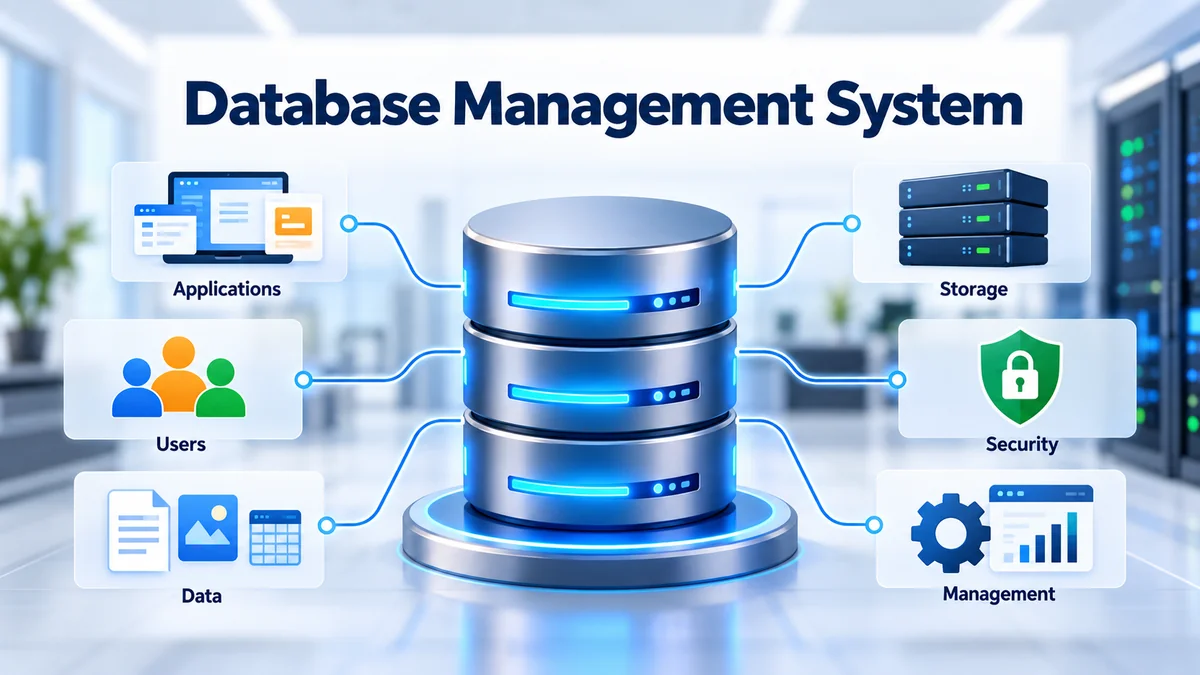

Almost every digital service depends on stored data. A banking app must know your balance, an online store needs product and order records, and a university system has to track students, courses, and grades. Managing all that information reliably requires more than simply saving files.
A database management system, commonly shortened to DBMS, is the software layer that makes structured data storage, retrieval, modification, security, and administration possible.
A database management system is software that lets users and applications create, organize, store, retrieve, update, and protect data in a database. It acts as an interface between applications and stored information while handling queries, permissions, transactions, integrity, concurrency, backup, and recovery.
Understanding DBMS concepts is useful for students, developers, database administrators, data analysts, and anyone learning how modern applications manage information.
What Is a database management system?
A database management system (DBMS) is a software system used to create and manage databases.
The database contains the information itself. The DBMS provides the tools and mechanisms needed to work with that information.
For example, imagine a university database containing:
- Student IDs and names
- Courses and departments
- Enrollment records
- Grades
- Faculty information
- Attendance records
Instead of allowing every application to manipulate raw storage files directly, a DBMS provides a controlled interface. An application can request a student’s courses, insert a new enrollment, change a grade, or generate a report without needing to understand exactly where every byte is stored.
This separation between applications and physical storage is one of the fundamental ideas behind database systems.
Database vs. DBMS
Although the terms are sometimes used interchangeably in casual conversation, they mean different things.
| Term | Meaning |
|---|---|
| Database | An organized electronic collection of data |
| DBMS | Software used to create, access, modify, secure, and administer databases |
| Database system | The broader environment containing the database, DBMS, applications, users, and supporting infrastructure |
AWS describes a database as a systematically organized electronic collection of information and a DBMS as the software used to store, retrieve, and edit that information.
Think of a database as a carefully organized warehouse of information and the DBMS as the system controlling how items enter, leave, change, and remain protected inside that warehouse.
How Does a database management system Work?
A DBMS sits between users or applications and the underlying database.
Suppose an online store needs to display an order. The application might send a query requesting the order associated with a particular order ID.
The process generally looks like this:
- A user or application sends a request.
- The DBMS receives and interprets the request.
- Authentication and permissions are checked.
- The query processor determines how to execute the request.
- The database engine accesses the required stored data.
- Integrity and transaction rules are applied where necessary.
- The requested information is returned to the application.
For complex queries, the system may evaluate different execution strategies and select an efficient query plan.
The DBMS also handles operations happening behind the scenes. It may manage indexes, memory buffers, transaction logs, locks, caches, backups, and recovery information.
That is why an application developer normally doesn’t need to manually determine the physical disk location of a particular customer record.
A Simple Example
Consider an online banking transfer.
You want to move $100 from Account A to Account B. Two related operations must occur:
- Subtract $100 from Account A.
- Add $100 to Account B.
A properly designed transactional database should not leave the system halfway through the transfer if something fails.
Transaction-management mechanisms help ensure that related operations are handled as a logical unit rather than as unrelated file changes.
This brings us to one of the most important concepts in database management: ACID transactions.
Core Functions of a database management system
Modern database systems perform much more than simple storage.
Data Storage and Retrieval
The most fundamental function is storing information and retrieving it when requested.
A DBMS determines how records and database structures are maintained while exposing interfaces that users and programs can work with.
Data Manipulation
Authorized users can perform operations such as:
- Inserting records
- Reading information
- Updating existing values
- Deleting records
These four basic operations are often summarized as CRUD: Create, Read, Update, and Delete.
Query Processing
A DBMS interprets database queries and determines how to execute them.
In relational systems, SQL (Structured Query Language) is the standard language commonly used to interact with tables and their relationships.
Transaction Management
A transaction represents a logical unit of database work.
For example, registering a student for several courses can involve multiple database operations that collectively represent one logical activity.
Transaction management helps preserve reliable results when operations fail or multiple activities occur simultaneously.
Concurrency Control
Real databases may receive requests from hundreds or thousands of users at once.
Concurrency control coordinates simultaneous operations so they do not unexpectedly corrupt or overwrite one another.
Depending on the DBMS, techniques can include locking and multi-version concurrency control (MVCC).
Security and Access Control
Not every user should have the same privileges.
A database administrator may allow one employee to read customer information while permitting another to update it. Administrative accounts may receive broader permissions.
Authentication, roles, privileges, encryption, and auditing can therefore form important parts of database security.
Data Integrity
Data integrity means maintaining accurate and valid information.
Rules and constraints can prevent invalid records. For example, a relational database may enforce:
- Primary keys
- Foreign keys
- Unique constraints
- Data types
- NOT NULL constraints
- CHECK constraints
These controls help stop invalid relationships or duplicate identifiers from entering the database.
Backup and Recovery
Hardware failures, software problems, human mistakes, and other disruptions can threaten stored information.
DBMS backup and recovery mechanisms help organizations restore databases and recover from failures. Backup and recovery are recognized as core DBMS capabilities in modern database architectures.
Main Components of a DBMS
A database management system contains multiple components working together.
Database Engine
The database engine is the central component responsible for interacting with stored data and coordinating database operations.
It handles activities such as reading, writing, updating, transaction processing, and interactions with storage.
Query Processor
The query processor interprets commands submitted by users or applications.
For SQL databases, it may parse a query, validate it, optimize its execution plan, and coordinate the operations needed to return the result.
Storage Manager
The storage manager handles the relationship between the DBMS and underlying storage.
Its responsibilities may involve:
- Files
- Data pages
- Buffers
- Indexes
- Disk space
- Memory management
Transaction Manager
The transaction manager coordinates database transactions and helps maintain reliable operations.
It works closely with concurrency and recovery mechanisms.
Metadata Catalog
A DBMS also stores information about the database itself.
This metadata can describe:
- Tables
- Columns
- Data types
- Constraints
- Indexes
- Views
- Users
- Permissions
The collection of such information is commonly called a system catalog or data dictionary.
Database Access Language
Users need a way to communicate with a database.
Relational systems normally use SQL, while other database models may expose different query languages or APIs.
Backup and Recovery Manager
This component supports backups, transaction logging, restoration, and recovery after failures.
Quick Takeaway: A DBMS is not one simple storage program. It combines query processing, storage management, transactions, security, concurrency, metadata, and recovery into a controlled data-management environment.
Types of Database Management Systems
Database management systems can be classified according to the data model they use and how information is organized.
The major categories include relational, hierarchical, network, object-oriented, and NoSQL systems. Modern deployments may also be categorized by architecture, such as distributed and cloud databases.
Relational Database Management System (RDBMS)
A relational database management system organizes information into tables consisting of rows and columns.
Each table normally represents a type of entity.
For example:
Students
| Student_ID | Name | Department |
|---|---|---|
| 101 | Sarah | Computer Science |
| 102 | Daniel | Mathematics |
Courses
| Course_ID | Course_Name |
|---|---|
| CS201 | Database Systems |
| MA101 | Calculus |
Relationships can then connect records across tables using keys.
An RDBMS commonly provides:
- SQL queries
- Primary and foreign keys
- Constraints
- Transactions
- Indexes
- Defined relationships
Popular relational systems include PostgreSQL, MySQL, Oracle Database, Microsoft SQL Server, IBM Db2, and SQLite.
Relational databases are widely used for structured information and transactional applications.
Hierarchical DBMS
A hierarchical database organizes records in a tree-like parent-child structure.
A parent can have multiple children, while each child typically belongs to one parent within the hierarchy.
This model works naturally for information with strict hierarchical relationships.
IBM Information Management System (IMS) is a well-known historical and continuing example associated with the hierarchical model.
Network DBMS
The network model allows records to participate in more complex relationships than a simple hierarchy.
A record can have multiple parent-like connections, making the model suitable for many-to-many relationships.
Systems such as Integrated Data Store (IDS) and IDMS are commonly associated with network databases.
Relational databases later became more dominant because their table-based model and declarative query languages generally made application development and ad hoc querying easier.
Object-Oriented DBMS
An object-oriented database management system (OODBMS) stores information as objects resembling those used in object-oriented programming.
Objects can contain both attributes and relationships and may support concepts such as classes and inheritance.
Object databases can be useful for specialized workloads involving complex objects, engineering information, scientific applications, and multimedia data.
NoSQL DBMS
NoSQL is an umbrella term covering non-relational database approaches designed for data models and workloads that do not necessarily fit conventional relational tables.
Common NoSQL categories include:
| NoSQL Type | Basic Structure | Typical Use |
|---|---|---|
| Document | JSON-like documents | Content, catalogs, application data |
| Key-value | Key and associated value | Caching, sessions |
| Wide-column | Column families | Large distributed datasets |
| Graph | Nodes and relationships | Networks and highly connected data |
NoSQL systems can offer flexible schemas and distributed scaling for particular workloads.
Examples include MongoDB for document data, Redis for key-value workloads, and Apache Cassandra for wide-column distributed storage.
DBMS vs. RDBMS: What Is the Difference?
A common beginner question is whether DBMS and RDBMS mean the same thing.
They do not.
DBMS is the broader category. RDBMS is a type of DBMS based specifically on the relational model.
| Feature | DBMS | RDBMS |
|---|---|---|
| Meaning | General database management software | Relational database management software |
| Data model | Can use several models | Relational model |
| Structure | Depends on database model | Tables with rows and columns |
| Relationships | Model-dependent | Commonly implemented through keys |
| Query method | Depends on system | Usually SQL |
| Examples | Includes relational and non-relational systems | PostgreSQL, MySQL, Oracle, SQL Server |
Every RDBMS is a DBMS, but not every DBMS is relational.
SQL and Database Languages in a DBMS
SQL, or Structured Query Language, is central to relational database management.
It allows users and applications to define database structures, retrieve information, modify records, and control access.
SQL commands are commonly grouped according to their purpose.
DDL — Data Definition Language
DDL defines or changes database structures.
Common commands include:
- CREATE
- ALTER
- DROP
For example, CREATE TABLE creates a new table.
DML — Data Manipulation Language
DML manipulates stored information.
Common operations include:
- INSERT
- UPDATE
- DELETE
DQL — Data Query Language
DQL refers to commands used to retrieve information.
The most familiar example is:
SELECT
DCL — Data Control Language
DCL manages permissions and database access.
Common commands include:
- GRANT
- REVOKE
TCL — Transaction Control Language
TCL manages transactions.
Typical commands include:
- COMMIT
- ROLLBACK
- SAVEPOINT
These classifications help students understand the different responsibilities SQL handles inside relational database environments. OpenStax similarly identifies DDL, DML, DQL, and DCL as major database-language categories.
What Are ACID Properties in DBMS?
ACID describes four properties associated with reliable database transactions:
Atomicity, Consistency, Isolation, and Durability.
Atomicity
A transaction should be treated as one logical unit.
Either its required operations complete successfully or the system handles the transaction so it does not leave an unintended partial result.
Think again about transferring money between bank accounts. A failure after deducting money but before crediting the destination account should not become the final state.
Consistency
A transaction should move the database from one valid state to another while respecting defined integrity rules.
Isolation
Simultaneous transactions should be managed so that their interaction does not produce prohibited or unexpected intermediate results according to the configured isolation level.
Durability
Once a transaction has been successfully committed, the DBMS should preserve that result even if a subsequent failure occurs, subject to the system’s durability configuration and guarantees.
ACID transaction processing is a foundational capability associated with relational database engines and many other transactional database systems.
Database Design, Schemas, and Normalization
A powerful DBMS cannot compensate for every poor data-modeling decision.
Good database design determines how information should be structured before an application begins relying on it.
What Is a Database Schema?
A schema describes the logical organization of database objects.
In a relational database, a schema may define:
- Tables
- Columns
- Data types
- Relationships
- Keys
- Constraints
- Views
- Indexes
A well-designed schema makes information easier to understand, validate, and query.
Primary Keys
A primary key uniquely identifies a row.
For example, Student_ID might uniquely identify each student even if several students have the same name.
Foreign Keys
A foreign key links information between related tables.
An enrollment table might contain Student_ID, connecting each enrollment to a record in the students table.
What Is Normalization?
Normalization is a database-design process used to organize relational data and reduce undesirable redundancy and modification anomalies.
Consider storing a student’s name, course title, professor, department, and grade repeatedly in one enormous table.
Duplicated values quickly accumulate.
A normalized design separates appropriate entities into related tables, such as:
- Students
- Courses
- Instructors
- Departments
- Enrollments
Normalization is commonly discussed through normal forms, including First Normal Form (1NF), Second Normal Form (2NF), and Third Normal Form (3NF), with additional forms used when appropriate.
The goal is not simply to create as many tables as possible. It is to model information correctly while balancing integrity, maintainability, and practical query performance.
Indexing and Query Performance
As a database grows, finding records by scanning every row can become expensive.
An index creates an additional data structure that helps the database locate relevant records more efficiently for supported query patterns.
Imagine a 1,000-page textbook.
Without an index, finding every discussion of “transaction isolation” might require reading page after page. A good index gives you a faster route to the relevant locations.
Database indexes can improve:
- Search performance
- Filtering
- Joins
- Sorting
- Record lookup
But indexes are not free.
They require storage and must be maintained when data changes. Adding unnecessary indexes can therefore increase the cost of INSERT, UPDATE, and DELETE operations.
Practical database optimization involves indexing columns that support actual workload patterns rather than indexing everything.
Advantages of a Database Management System
DBMS software became fundamental to computing because it solves problems that become difficult to control with independent files.
Reduced Data Redundancy
Well-designed databases can reduce unnecessary duplication by storing shared information in appropriate structures.
Less duplication generally makes records easier to maintain consistently.
Better Data Integrity
Constraints and validation rules help maintain accurate records.
A foreign key, for instance, can prevent an application from creating a relationship to a nonexistent record.
Controlled Data Sharing
Multiple applications and authorized users can work with common information while the DBMS coordinates access.
Improved Security
Authentication, roles, privileges, encryption capabilities, and auditing mechanisms can protect sensitive information.
Modern DBMS platforms commonly include access controls, logging, encryption, and other security functions, although specific capabilities vary by product and configuration.
Transaction Reliability
Transaction-management features help maintain reliable database states during complex operations.
Backup and Recovery
Centralized backup, logging, restoration, and recovery mechanisms make it easier to protect important information than relying on unmanaged application files.
Data Independence
A DBMS provides abstraction between applications and physical storage.
Changes to lower-level storage arrangements therefore do not necessarily require every application to be rewritten. Data independence is a major advantage of database management compared with tightly coupled file-based applications.
Efficient Querying
Query languages allow users to retrieve highly specific subsets of information without manually processing entire files.
Disadvantages and Limitations of DBMS
A database management system also introduces costs and complexity.
Greater Complexity
Installing, designing, securing, optimizing, and maintaining sophisticated databases requires technical knowledge.
Large organizations often employ specialized database administrators (DBAs), database architects, and engineers.
Cost
Some enterprise database products involve licensing, infrastructure, cloud consumption, support, and administration costs.
Open-source systems can remove software licensing costs but still require infrastructure and operational expertise.
Resource Requirements
A full DBMS consumes CPU, memory, and storage resources for services such as caching, transaction management, indexing, security, and logging.
Administration Overhead
Databases require ongoing work such as:
- Monitoring
- Backups
- Security updates
- Access management
- Performance tuning
- Capacity planning
- Schema changes
Centralized Failure Risks
If many critical applications depend on one database service, an outage can affect all of them.
High-availability architectures, replication, backups, failover mechanisms, and disaster-recovery planning are therefore important for critical systems.
A DBMS Can Be Excessive for Tiny Tasks
Not every dataset needs a sophisticated database server.
A small, temporary, single-user dataset may be adequately handled by a spreadsheet, local file, or embedded database.
Choosing technology should follow the workload rather than the assumption that a more complicated system is automatically better.
Popular Database Management System Examples
Database products differ considerably in architecture, licensing, deployment model, and intended workload.
Common examples include:
MySQL
MySQL is a widely used relational DBMS frequently found in web applications and server-side software.
It uses SQL and supports transactions through appropriate storage engines.
PostgreSQL
PostgreSQL is an open-source relational database known for standards-oriented SQL capabilities, extensibility, advanced data types, indexing options, and transactional features.
It is widely used for applications ranging from traditional business systems to complex data workloads.
Oracle Database
Oracle Database is an enterprise relational database platform used extensively in large organizational and mission-critical environments.
Microsoft SQL Server
Microsoft SQL Server is Microsoft’s relational database platform and is widely used in enterprise and application environments.
SQLite
SQLite is an embedded relational database.
Instead of operating as a traditional standalone database server, SQLite can run directly within an application and store a database in a local file, making it useful for mobile applications, desktop software, devices, and local storage.
MongoDB
MongoDB is a document-oriented NoSQL database that represents information using flexible document structures rather than conventional relational rows.
Redis
Redis is commonly associated with key-value and in-memory data workloads and is frequently used for caching, sessions, messaging-related patterns, and fast data access.
Apache Cassandra
Apache Cassandra is a distributed wide-column database designed for workloads requiring data distribution across multiple nodes.
These products should not be treated as interchangeable. The correct choice depends on data relationships, consistency requirements, query patterns, scale, latency, operational expertise, and deployment architecture.
Where Are Database Management Systems Used?
DBMS technology appears anywhere substantial information must be stored and accessed reliably.
Banking and Finance
Banks use databases to manage:
- Customer accounts
- Transactions
- Payments
- Loans
- Audit information
Strong transaction controls are particularly valuable where multiple related financial operations must remain consistent.
E-Commerce
Online stores maintain information about:
- Customers
- Products
- Inventory
- Shopping carts
- Orders
- Payments
- Shipping
Different parts of a large platform may even use different database technologies.
Education
Schools and universities can use databases for:
- Student records
- Admissions
- Courses
- Attendance
- Grades
- Faculty records
- Learning systems
Healthcare
Healthcare information systems can store patient, scheduling, billing, clinical, and administrative data. Such systems also require careful access control, privacy protections, and compliance with applicable regulations.
Social and Web Applications
Web platforms manage profiles, posts, comments, sessions, relationships, preferences, and application events using various database architectures.
Inventory and Logistics
Warehouses and logistics platforms depend on databases to track products, quantities, orders, locations, shipments, and suppliers.
DBMS vs. File System
Before database systems became common, applications often maintained information directly in independent files.
File storage remains useful, but it becomes difficult to manage when data is highly interconnected or accessed concurrently.
| Area | Traditional File-Based Approach | DBMS |
|---|---|---|
| Organization | Application-specific files | Managed database structures |
| Relationships | Usually application-managed | Can be modeled explicitly |
| Querying | Often custom application logic | Query language/API |
| Concurrency | Must be handled manually | Built-in mechanisms available |
| Integrity | Application-dependent | Constraints and rules available |
| Security | File/application permissions | Fine-grained database controls |
| Transactions | Usually limited/custom | Transaction support available |
| Recovery | Often manually designed | Backup/recovery mechanisms |
| Scaling | Depends heavily on implementation | DBMS-specific scaling options |
A file system stores files. A DBMS manages structured interaction with data and provides mechanisms for querying, integrity, concurrency, security, and recovery.
That distinction becomes increasingly valuable as applications grow.
Relational vs. NoSQL Database Management Systems
One of the most common modern database decisions is choosing between relational and NoSQL approaches.
| Factor | Relational | NoSQL |
|---|---|---|
| Typical structure | Tables | Documents, key-value, graph, wide-column |
| Schema | Usually explicitly defined | Often more flexible, model-dependent |
| Querying | SQL | Product/model-dependent |
| Relationships | Strong relational modeling | Varies by database type |
| Transactions | Traditionally a core strength | Capabilities vary by product |
| Scaling | Vertical and distributed options | Often designed with distributed scaling in mind |
| Best fit | Structured relational workloads | Flexible or specialized data models |
This is not a contest where one model always wins.
A financial ledger may benefit from strong relational constraints and transaction semantics. A content platform handling highly variable document structures might benefit from a document database. A social graph may fit a graph-oriented model.
Some applications deliberately use several database technologies, a practice often called polyglot persistence.
The useful question is not “SQL or NoSQL—which is better?” It is “Which data model and guarantees best fit this workload?”
Cloud and Distributed Database Management
Database infrastructure is no longer limited to one server sitting inside an organization’s building.
Modern databases may run:
- On premises
- On virtual machines
- In containers
- In public clouds
- As managed database services
- Across multiple servers or regions
A distributed database stores or processes information across multiple nodes while presenting coordinated database functionality.
Distribution can improve scalability and availability, but it introduces additional questions involving consistency, network latency, replication, failure handling, and operational complexity.
Cloud platforms now provide managed relational and NoSQL databases as well as serverless database options that can reduce some infrastructure-management responsibilities. AWS, for example, offers relational, purpose-built, and serverless database services.
Managed services do not eliminate database administration entirely. Schema design, security, query optimization, access policies, cost management, backups, and application architecture still matter.
How to Choose the Right Database Management System
Choosing a DBMS should start with the application’s requirements rather than product popularity.
1. Understand the Data Model
Ask how the information naturally fits together.
Is it:
- Highly structured and relational?
- Document-oriented?
- Key-value based?
- Graph-like?
- Time-series data?
- Large-scale analytical information?
The structure often narrows the appropriate database category.
2. Define Transaction Requirements
Determine how strongly related operations must be coordinated.
Applications involving payments, orders, inventory, and financial records often have demanding consistency requirements.
3. Study Query Patterns
Ask what the application actually needs to retrieve.
A database optimized for simple key lookups may not be the right choice for complex joins and analytical queries.
4. Estimate Scale
Consider:
- Data volume
- Requests per second
- Read/write ratio
- Expected growth
- Geographic distribution
- Latency requirements
Designing for realistic growth is usually more useful than engineering for imaginary internet-scale traffic.
5. Evaluate Reliability
For critical applications, consider:
- Replication
- Failover
- Backup
- Point-in-time recovery
- Disaster recovery
- Availability requirements
6. Review Security
Check whether the system provides the authentication, authorization, encryption, auditing, and network controls required by the application.
7. Consider Operational Expertise
A technically impressive database may be a poor choice if nobody on the team can operate it reliably.
Skills, documentation, community support, monitoring tools, and organizational experience matter.
8. Calculate Total Cost
Look beyond the software’s initial price.
The real cost can include:
- Licenses
- Cloud resources
- Storage
- Network traffic
- Backups
- Monitoring
- Administration
- Engineering time
- Support
Quick Takeaway: Choose a database based on data structure, query patterns, transaction guarantees, scale, reliability, security, cost, and team expertise—not simply because a particular database is popular.
Database Management Best Practices
Selecting the right DBMS is only part of the job. Poorly designed or poorly operated databases can still cause serious problems.
Design the Schema Around Real Requirements
Understand entities and relationships before creating tables or document structures.
Changing an early prototype is easy. Redesigning a production database used by multiple applications is much harder.
Use Appropriate Constraints
Do not rely entirely on application code for data integrity when the database can safely enforce critical rules.
Primary keys, foreign keys, unique constraints, and validation rules can prevent entire classes of errors.
Index Based on Real Queries
Indexes should solve observed or expected access patterns.
Use query plans and performance measurements rather than guessing.
Apply Least-Privilege Access
Users and applications should receive only the permissions they actually require.
An application that only reads reporting data usually does not need permission to delete production tables.
Back Up—and Test Recovery
Creating backups is only half of a recovery strategy.
Organizations should verify that backups can actually be restored within their required recovery objectives.
Monitor Performance
Watch metrics such as:
- Query latency
- CPU utilization
- Memory usage
- Disk I/O
- Storage growth
- Connection counts
- Lock contention
- Replication health
- Error rates
Performance problems are much easier to diagnose when historical monitoring data exists.
Plan for Failure
Hardware fails. Networks become unavailable. Applications contain bugs. Humans make mistakes.
A production database architecture should assume failures can happen and define how the system will recover.
Why Database Management Systems Matter
Modern software is largely built around information.
Applications need to know who users are, what they own, what actions they performed, how objects relate, and what should happen next.
A database management system provides the structured layer that makes those operations manageable.
It separates applications from many low-level storage concerns while offering mechanisms for:
- Data organization
- Retrieval and modification
- Query processing
- Transactions
- Concurrency
- Integrity
- Security
- Backup
- Recovery
Relational systems such as PostgreSQL, MySQL, Oracle Database, Microsoft SQL Server, IBM Db2, and SQLite remain important for structured relational workloads, while systems such as MongoDB, Redis, and Apache Cassandra address different data models and operational needs. Current database ecosystems span relational, NoSQL, distributed, cloud, and specialized platforms rather than relying on one universal architecture.
Final Thoughts on database management system
A database management system is the software foundation used to organize, access, modify, secure, and maintain database information. Instead of forcing applications to manipulate raw files directly, a DBMS provides controlled interfaces and services for queries, transactions, integrity, concurrency, permissions, backup, and recovery.
The key concepts fit together naturally: a database holds information, a DBMS manages it, an RDBMS applies the relational model, SQL provides a language for interacting with relational data, ACID describes important transaction properties, and techniques such as normalization and indexing help improve data design and access.
The next practical step is to build a small database yourself. Create several related tables, define primary and foreign keys, insert records, run SQL queries, add an index, and test a transaction. That hands-on exercise turns DBMS terminology into concepts you can actually use.
